 GuestLens
Collect every photo and video your guests take. A host creates an event and prints a QR code. Guests scan it and upload from their phone browser, with no app and no sign-up. You run it on your own hosting and sell it to your customers.
GuestLens is a PHP script that you install on your own hosting. It runs a website where your customers create events, and their guests share photos and videos from their phones. You decide the prices, take the payments, and put your own name and logo on it.
How it works
- A host creates an eventThe host buys a plan on your site and creates an event, such as a wedding.
- They print the QR codeGuestLens makes a QR code and table cards for the event.
- Guests scan and uploadGuests open the page in their phone browser. No app and no account.
- The host gets everythingA live gallery, a big-screen slideshow, a guestbook, and a ZIP download.
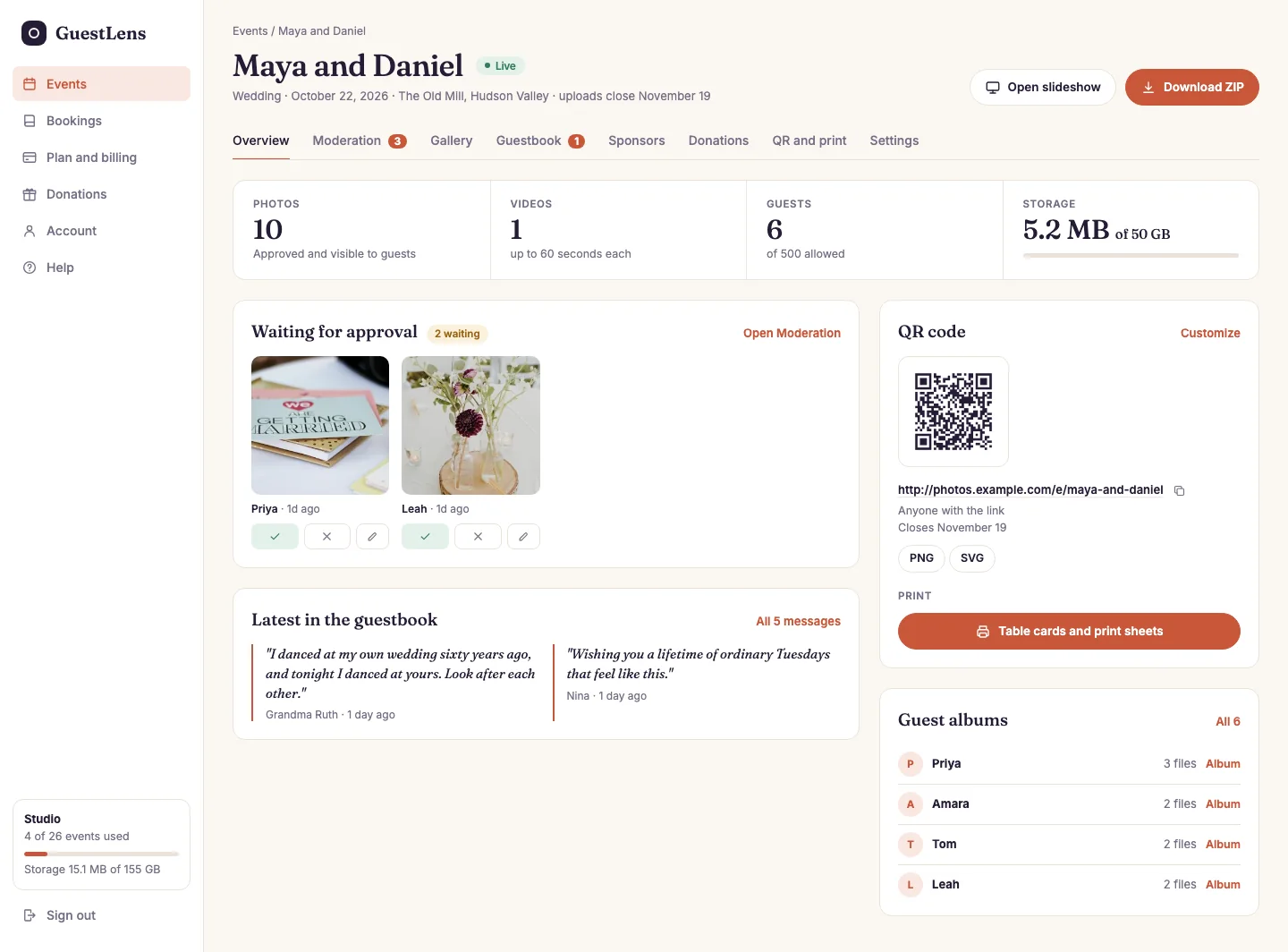
- Tabs for everything about the event: moderation, gallery, guestbook, sponsors, gifts, QR code, and settings. The gallery also makes the photo report, the photo book, the video, and the offline album.
- Counts: photos, videos, guests, and storage used.
- Waiting for approval: new photos the host has not checked yet.
- The guestbook: the latest messages from guests.
- The QR code and the link to the guest page.
- Guest albums: what each guest uploaded.
- Open slideshow and Download ZIP.
Three kinds of people
GuestLens has three kinds of users. Each one has their own part of the site, and they never see each other's screens. This documentation always uses these three names.
You, the buyer
/admin
You bought GuestLens and installed it, so you are the super admin. You set the plans and prices, take payments, look after your customers, and brand the site.
The host
/host
Your customer: a couple, a planner, a photographer, or a venue. They buy a plan, create events, print the QR code, approve photos, and download everything at the end.
The guest
/e/event-name
Someone at the event. They scan the QR code, upload photos and videos, and sign the guestbook. They never create an account.
What you get
Where to start
Read the Start here pages in order. They take you from the zip file to a working site. The first three steps take about fifteen minutes.
After that, Your first hour is a short checklist before you open the site to customers. If something goes wrong, see Troubleshooting.