 GuestLens
For guests
The guest page
Guests are the people at the event. They never install an app and never create an account. They scan the QR code with their phone camera, and the event page opens in their browser. This page shows what they see.
The event page
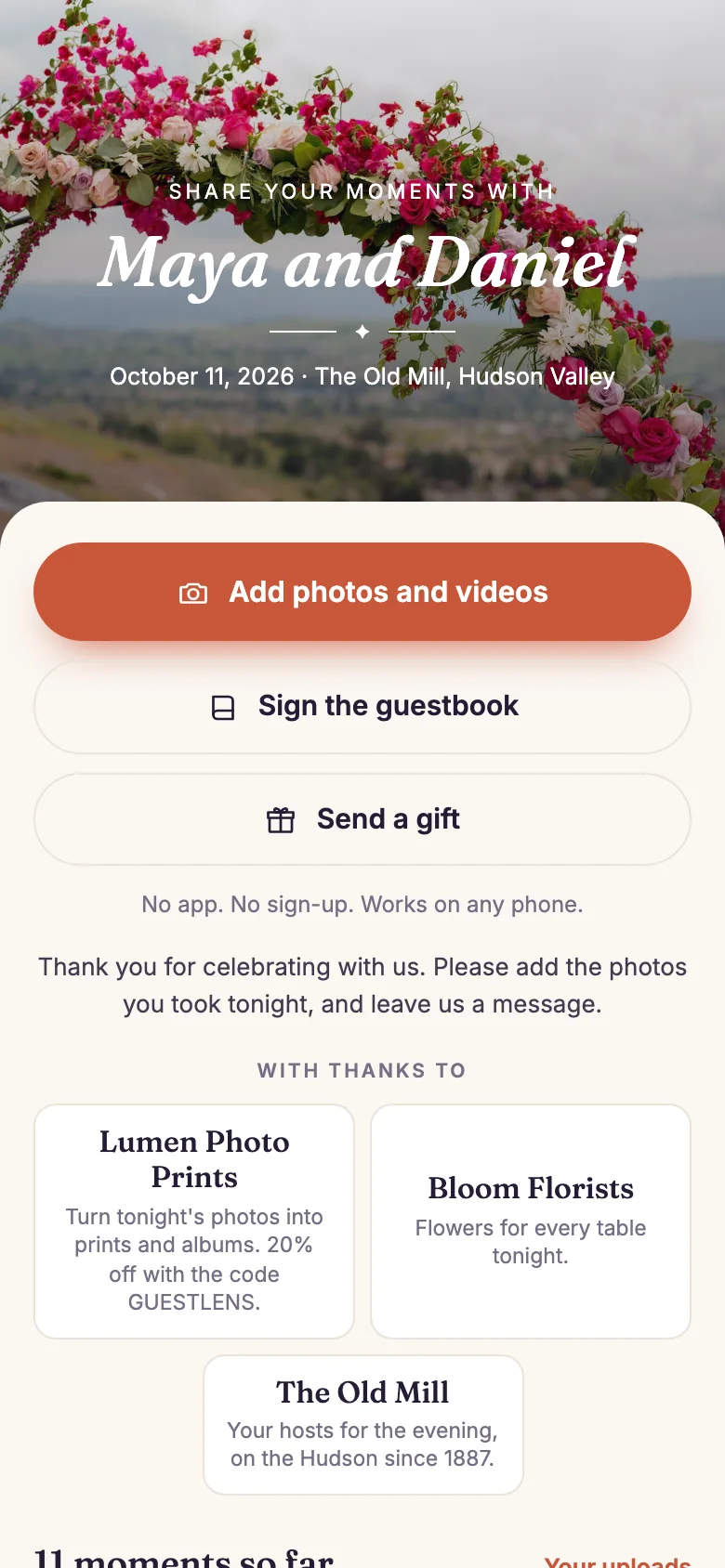
/e/maya-and-daniel.- The cover: the event name, date, and venue, on the cover photo or the theme's artwork.
- Add photos and videos: the main button. It opens the phone's photo picker or camera.
- Sign the guestbook: a written message or a voice note.
- Your uploads: everything this guest sent from this phone.
- The gallery: every approved photo and video, in the order the host chose. Tap one to see it large, like it, or leave a comment. If the host allows it, guests can also download it.
Below the gallery, the newest guestbook messages are shown. The colors, fonts, and cover art come from the event's theme.
Three things appear only when the host uses them: a Send a gift button under the guestbook button (see Gifts from guests), the event's sponsors under the welcome message (see Event sponsors), and a caption under a photo (see Captions and photo details).
Uploading
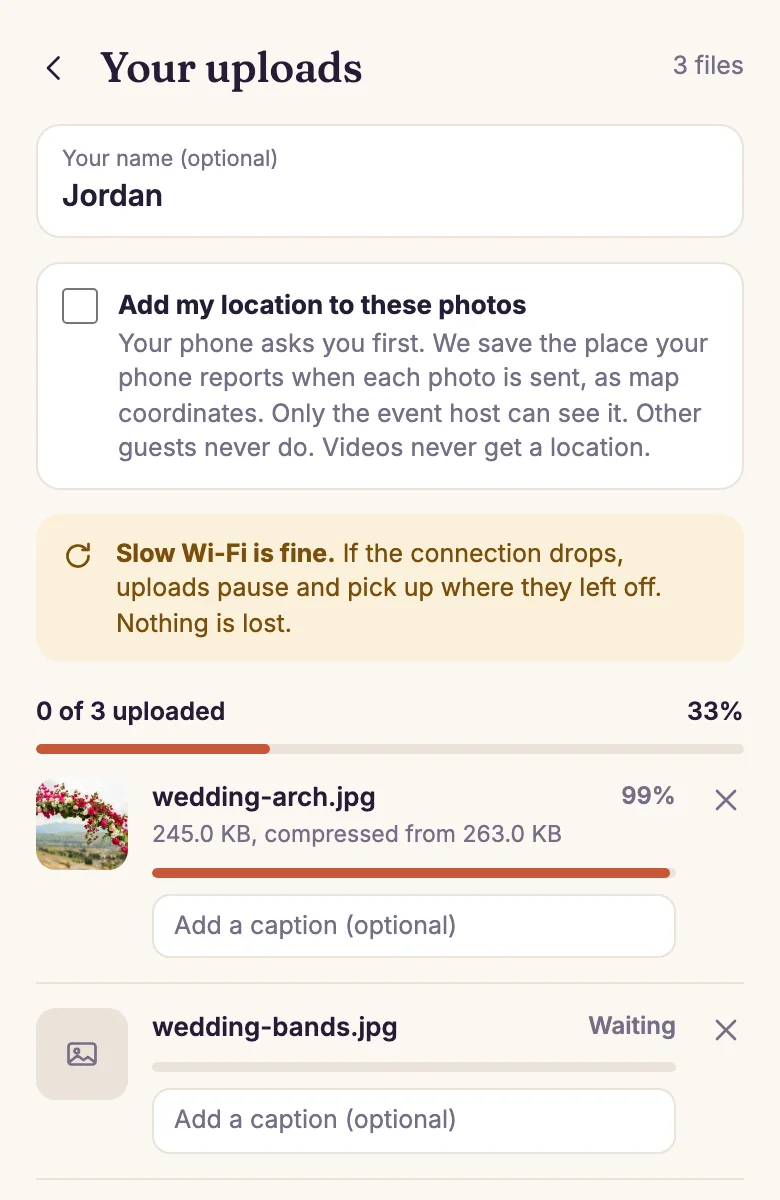
- Your name, optional. The host sees it next to each photo. It is remembered on this phone.
- Slow Wi-Fi is fine. If the connection drops, uploads pause and continue where they stopped. Nothing is lost.
- The overall progress of everything the guest picked.
- Each file, with its own progress. Photos are made smaller on the phone before they are sent, and the screen says by how much. Videos are sent as they are.
- Add my location to these photos, only at an event that collects locations. The phone asks first. See Location stamping.
- Add a caption, optional, for each file. It can be typed while the file uploads.
Guests can pick many files at once, and add more while the first ones upload. The page asks them to keep it open until the uploads finish. If they close it by mistake, opening the event link again continues the unfinished files. See How uploads work for the details.
The guestbook
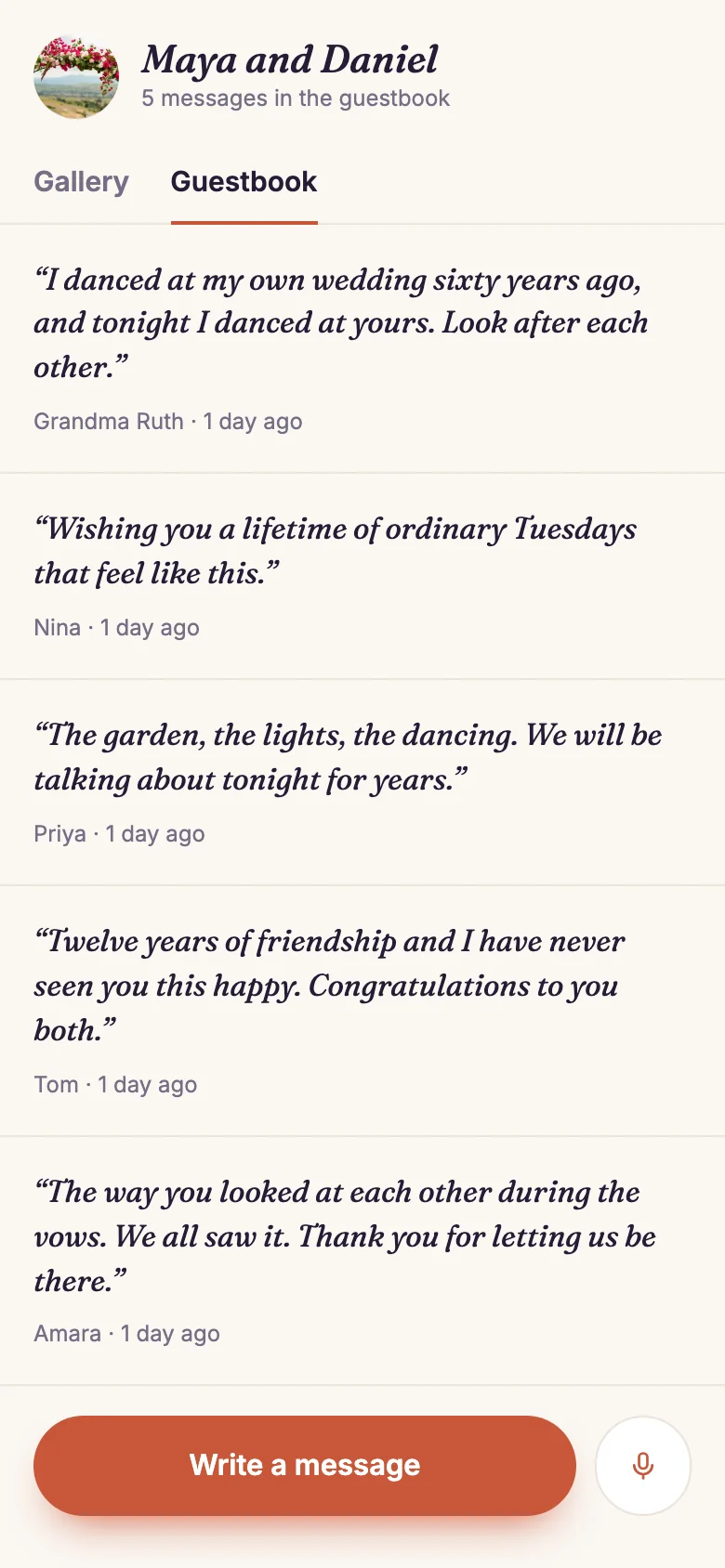
/e/maya-and-daniel/guestbook.- Gallery and Guestbook tabs.
- A message from a guest, with their name and when they wrote it.
- Write a message. It appears after the host approves it.
- Record a voice note of up to 60 seconds, in the browser. There is no transcription.
A private event
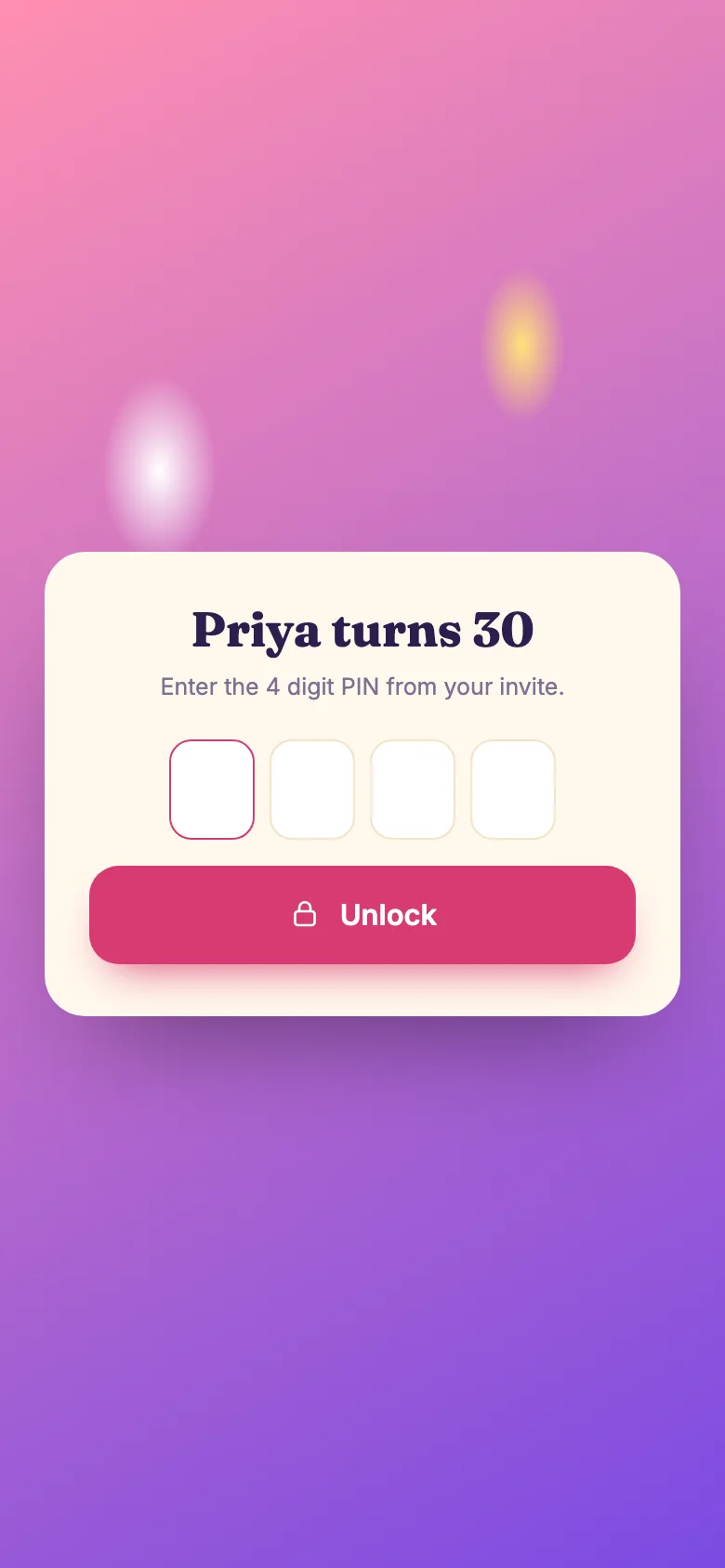
If the host chose Ask for a PIN or Ask for a password, guests see this screen first. They type the code from their invitation once. After that, the phone remembers it.
The screen never says whether a code was close, or how many tries are left. After too many wrong tries, the phone has to wait before it can try again. See Who can open the page.
After the event
When an event closes, its page still shows the gallery and the guestbook, with a note that says when it closed. Guests can look, but they cannot add anything. The guestbook button then says Read the guestbook, and it is not shown when the guestbook is empty.