 GuestLens
For hosts
Gallery, guestbook and albums
Three tabs hold what guests sent: the Gallery of approved photos and videos, the Guestbook of messages and voice notes, and the list of guests with their albums.
The gallery
Everything approved, in the order guests see it on the event page and on the slideshow.
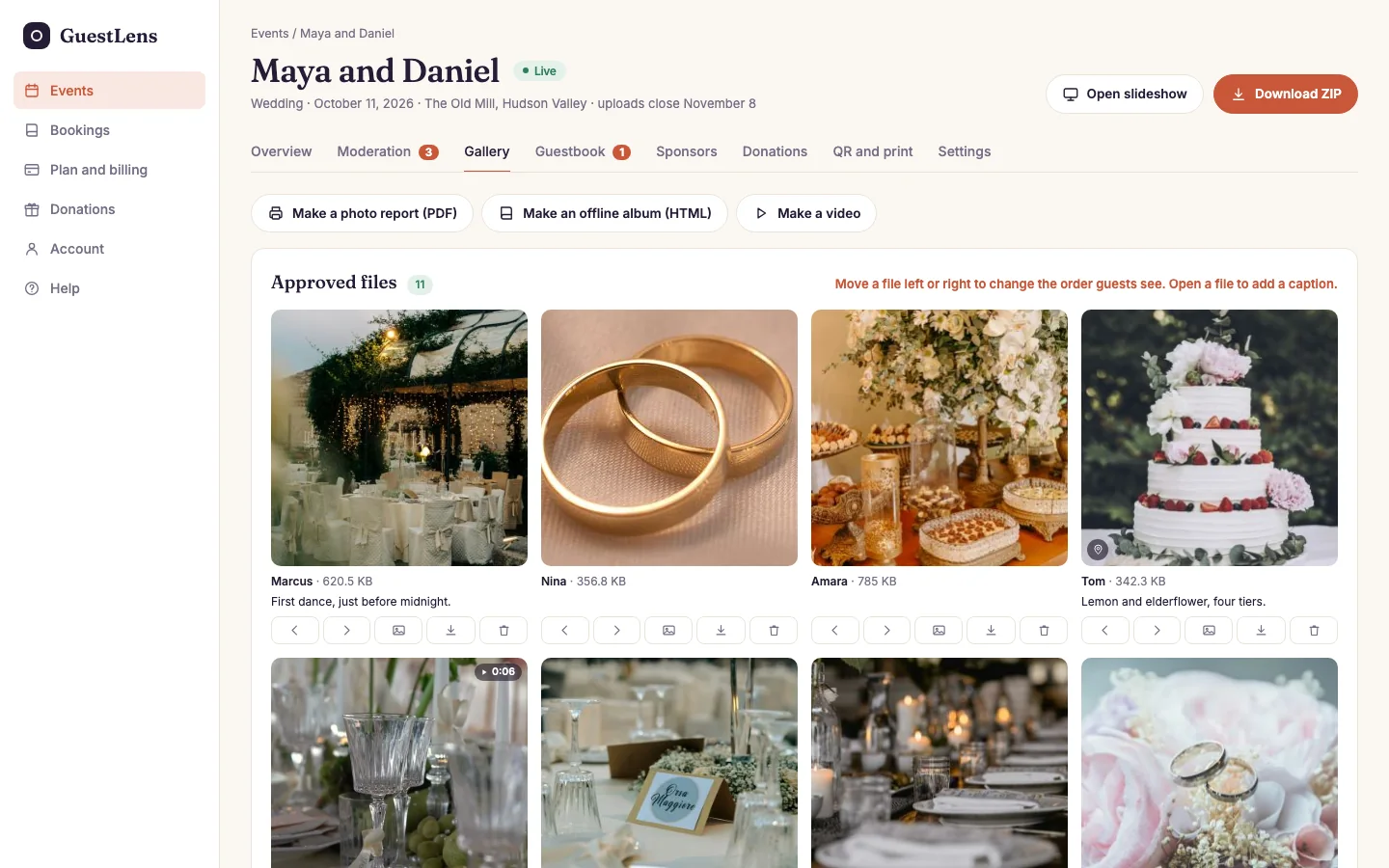
- The order. Move a file left or right to change the order guests see.
- A photo or video, with who sent it, its size, and its caption. Click it to open its photo page. A small pin means the guest shared where it was taken.
- The buttons under each file, from left to right: move earlier, move later, use as the cover photo of the guest page, download the original, and delete.
Deleting a file removes it from the gallery and frees its storage. It cannot be undone, and it is written to the audit log.
Above the gallery, three buttons take the approved photos further:
- Make a photo report (PDF): an album, a report, or a print-ready photo book. See Photo report and photo book.
- Make an offline album (HTML): one file that opens with no internet. See Offline album.
- Make a video: an MP4 slideshow, made in the browser. See Video slideshow download.
Each one shows only when the host's plan includes it.
The guestbook
Guests can leave a written message, or record a voice note of up to 60 seconds in their browser. Both wait here for approval, like photos.
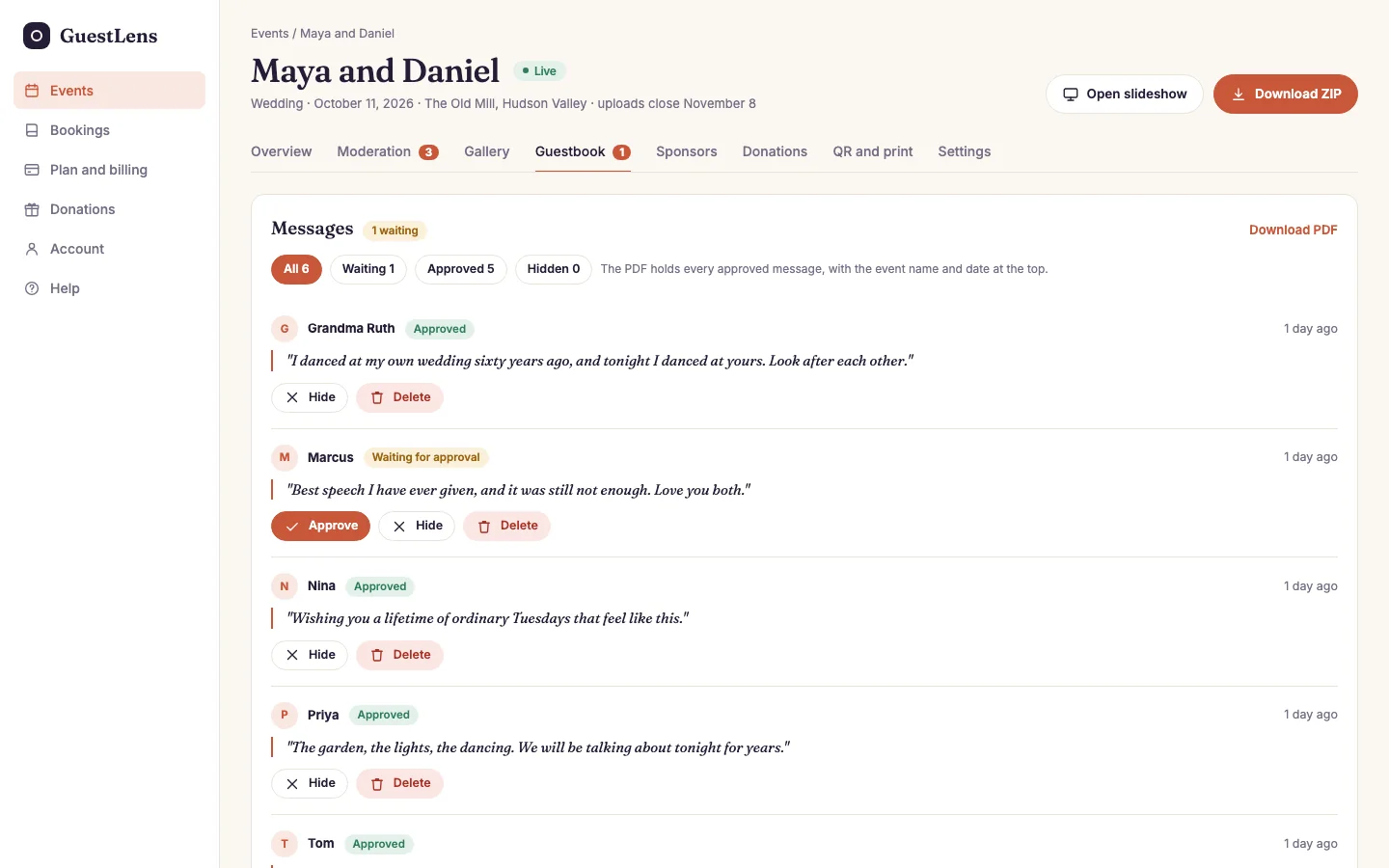
- Filters: all messages, waiting, approved, or hidden.
- Download PDF: every approved message in a printable book, with the event name and date at the top.
- A message waiting for approval, with the guest's name and when they wrote it. A voice note has a play button.
- Approve shows it on the event page and the slideshow. Hide keeps it but does not show it. Delete removes it.
Guests and their albums
Every phone that opened the event is one guest. A guest who typed their name is shown by name. The others are shown as A guest.
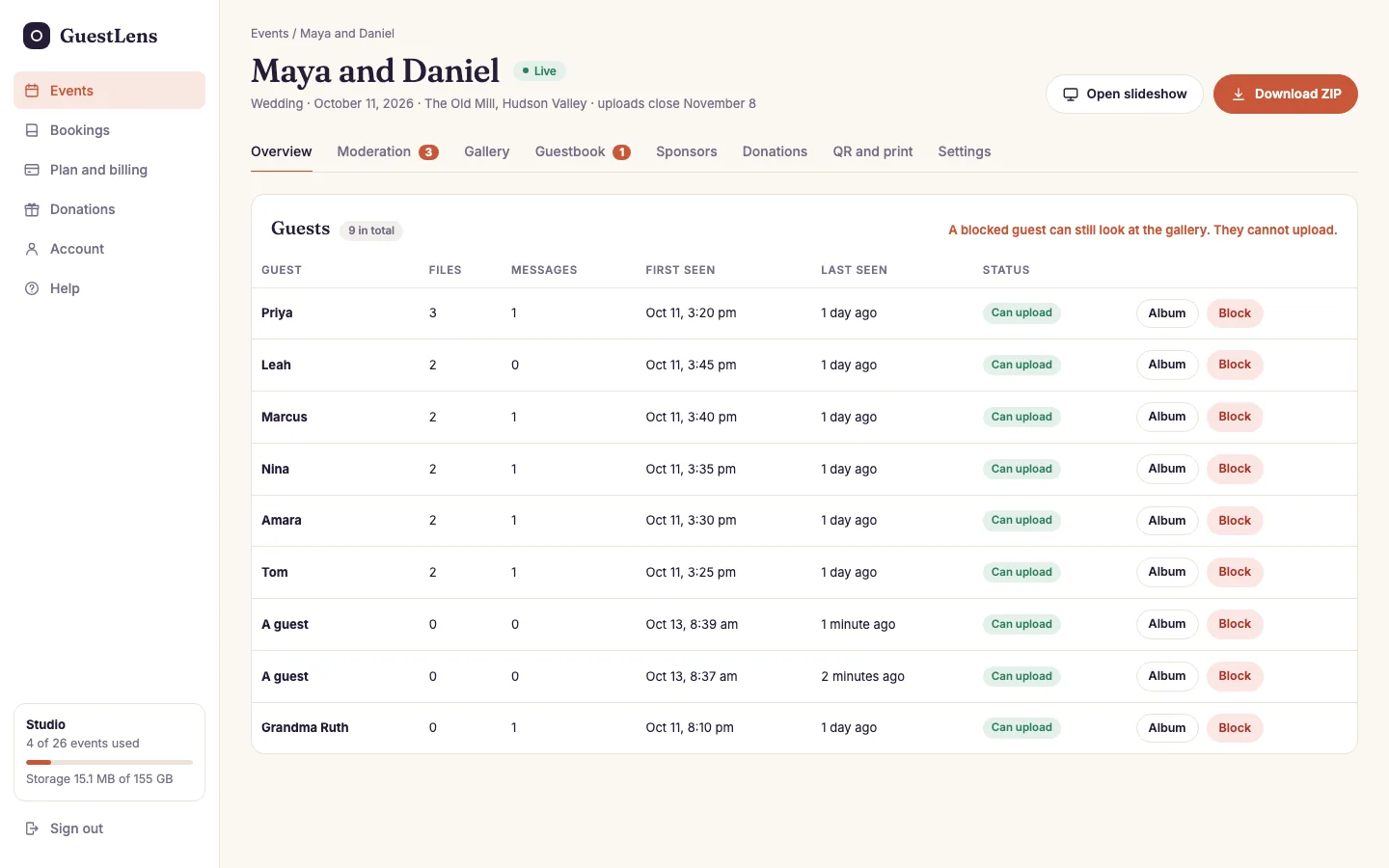
- How many guests the event has, and how many are blocked.
- One row per guest: their files, messages, first and last visit, and whether they can upload.
- Album shows everything that guest sent. Block stops them uploading. A blocked guest can still look at the gallery.