 GuestLens
Run your site
Storage and S3
Photos, videos, and voice notes can be kept on your own server, on any S3-compatible storage service, or in a Google Drive. Choose under Storage in the admin. Google Drive has its own page: Google Drive storage.
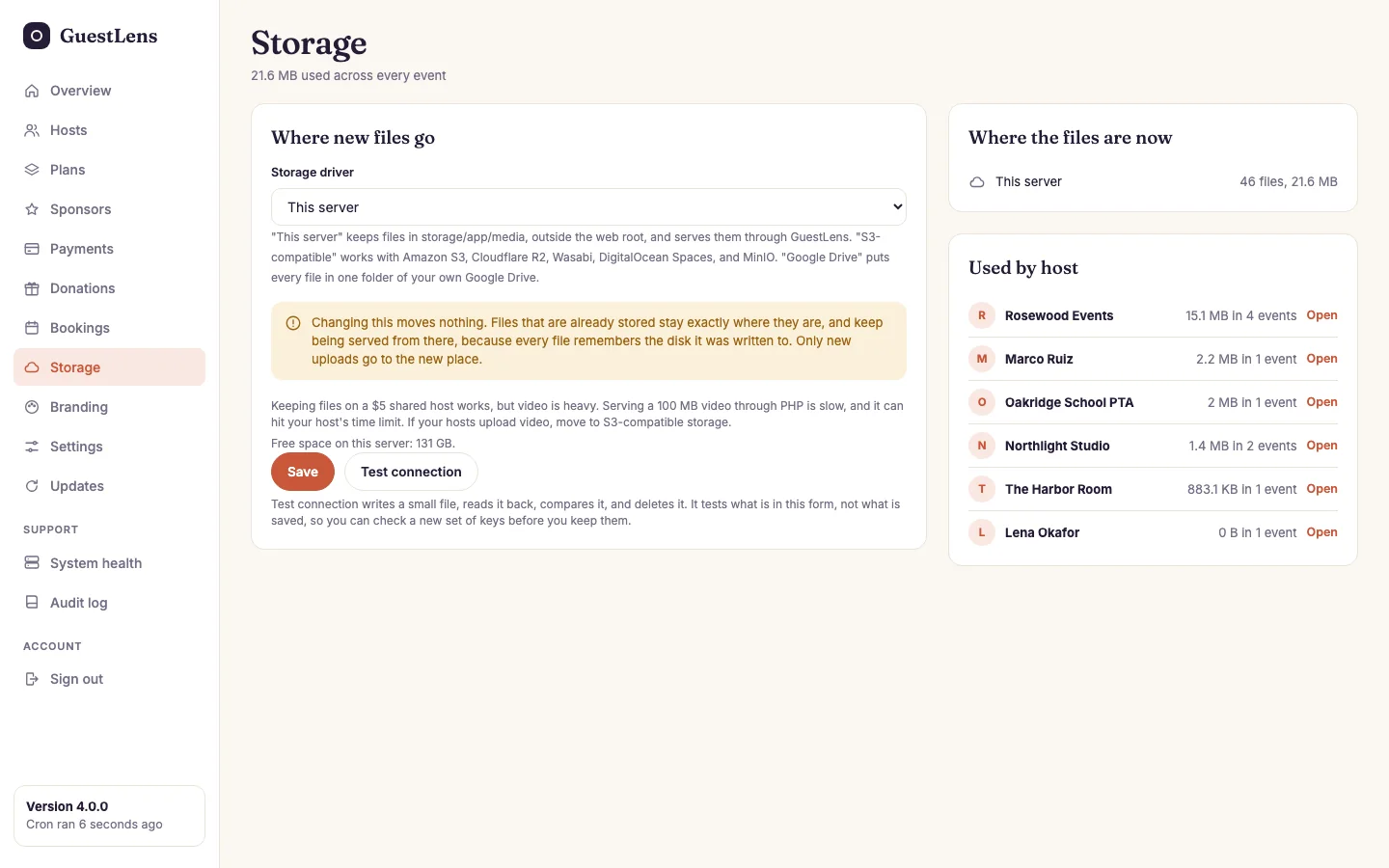
- Where new files go: this server, S3-compatible storage, or Google Drive.
- Where the files are now: how many files, and how much space, on each storage.
- Used by host: who uses the most space. Open goes to that host.
This server
Files are kept in storage/app/media, outside your web root. Nobody can open them with
a direct link. GuestLens serves them itself, which is how a private event stays private. This is
the default, and it needs no setup.
S3-compatible storage
Works with Amazon S3, Cloudflare R2, Wasabi, DigitalOcean Spaces, and MinIO. Create a bucket and an access key with your provider first. Then choose S3-compatible storage and fill in the bucket details.
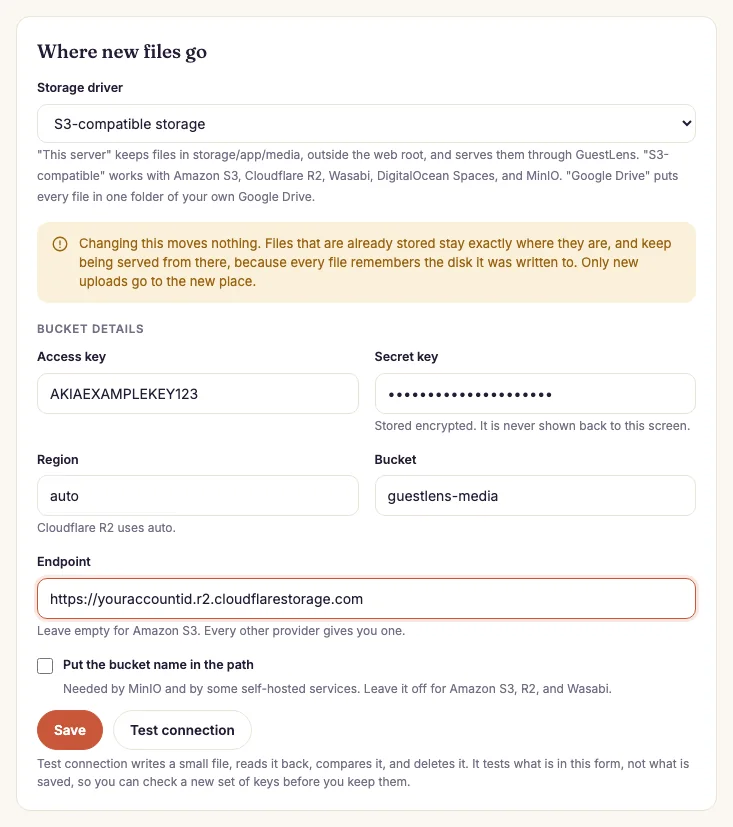
- Storage driver: choose S3-compatible storage.
- Access key, secret key, region, and bucket from your provider. The secret is stored encrypted and never shown again. Cloudflare R2 uses the region
auto. - Endpoint: leave it empty for Amazon S3. Every other provider gives you one.
- Put the bucket name in the path: only for MinIO and some self-hosted services. Leave it off for Amazon S3, R2, and Wasabi.
- Save keeps the settings.
- Test connection writes a small file, reads it back, and deletes it. It tests what is in the form, so you can check new keys before you save them.
Use S3 if you allow video. Serving a 100 MB video through PHP on shared hosting is
slow, and on a tight time limit it can fail. With S3, the heavy files live somewhere built for them.
Switching storage does not move files. Every file remembers where it was saved,
so old files keep working after you switch. Only new uploads go to the new place. Decide before
your first real event if you can.