 GuestLens
For hosts
Gifts from guests
Guests can send the host a gift of money from the event page, for example toward a honeymoon or a new home. The host turns gifts on for each event, sees who gave what, and asks for a payout when they are ready. New in version 2.0.
Gifts only appear when you have turned them on for your site and set up Stripe or PayPal. See Guest donations and payouts.
Turn gifts on for an event
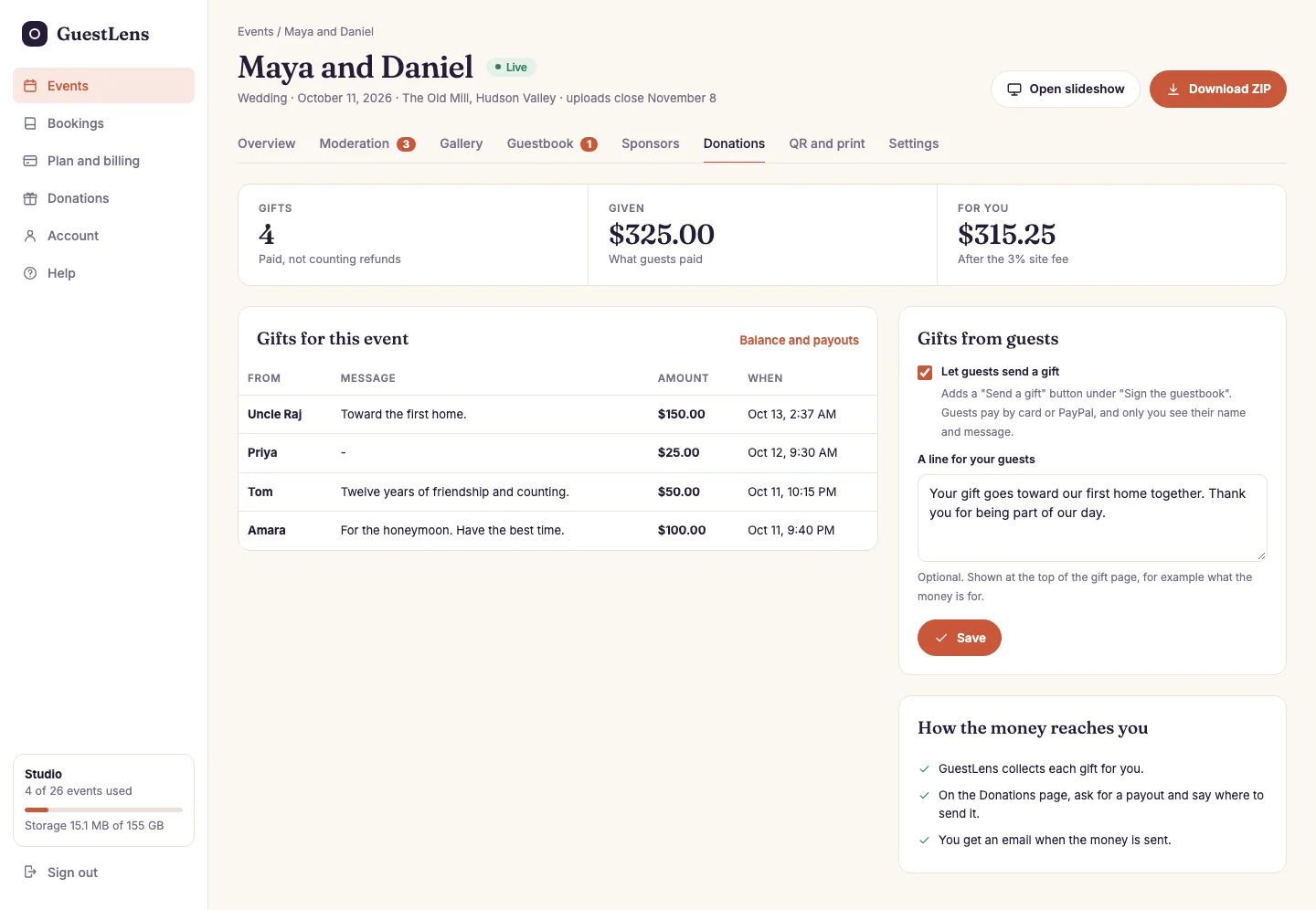
- The totals: how many gifts, what guests paid, and what is left for the host after your fee.
- Every gift, with the guest's name and message. Only the host sees these.
- Let guests send a gift, and an optional line shown at the top of the gift page.
- How the money reaches the host, in three steps.
What guests see
A Send a gift button appears on the event page, under Sign the guestbook.
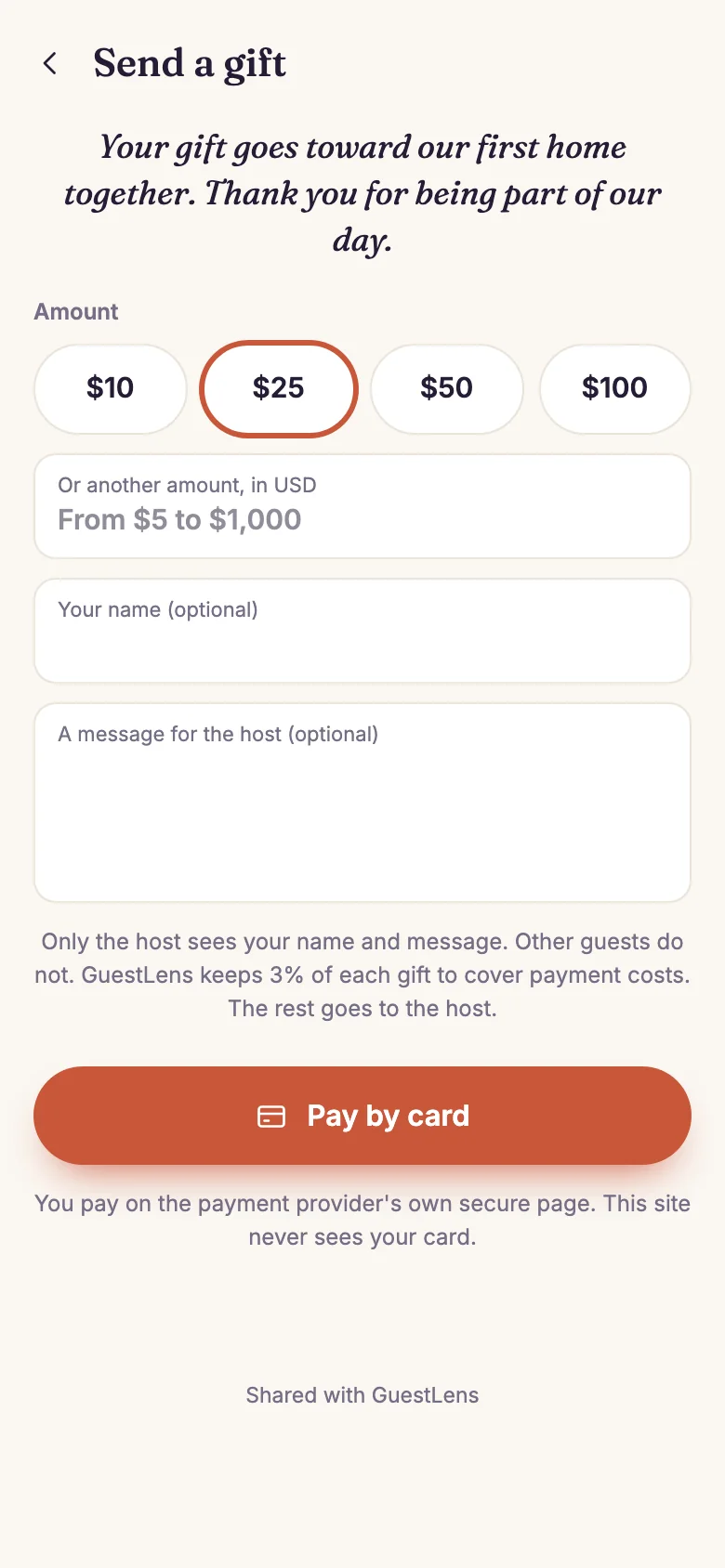
- The host's line, or a standard thank-you.
- The amount: one of your buttons, or any amount between your smallest and largest gift.
- A name and a message, both optional.
- Who sees what, and your fee, when you keep one.
- Pay by card or PayPal, on Stripe's or PayPal's own page.
Ask for a payout
The Donations page in the host's sidebar adds up the gifts from every event.
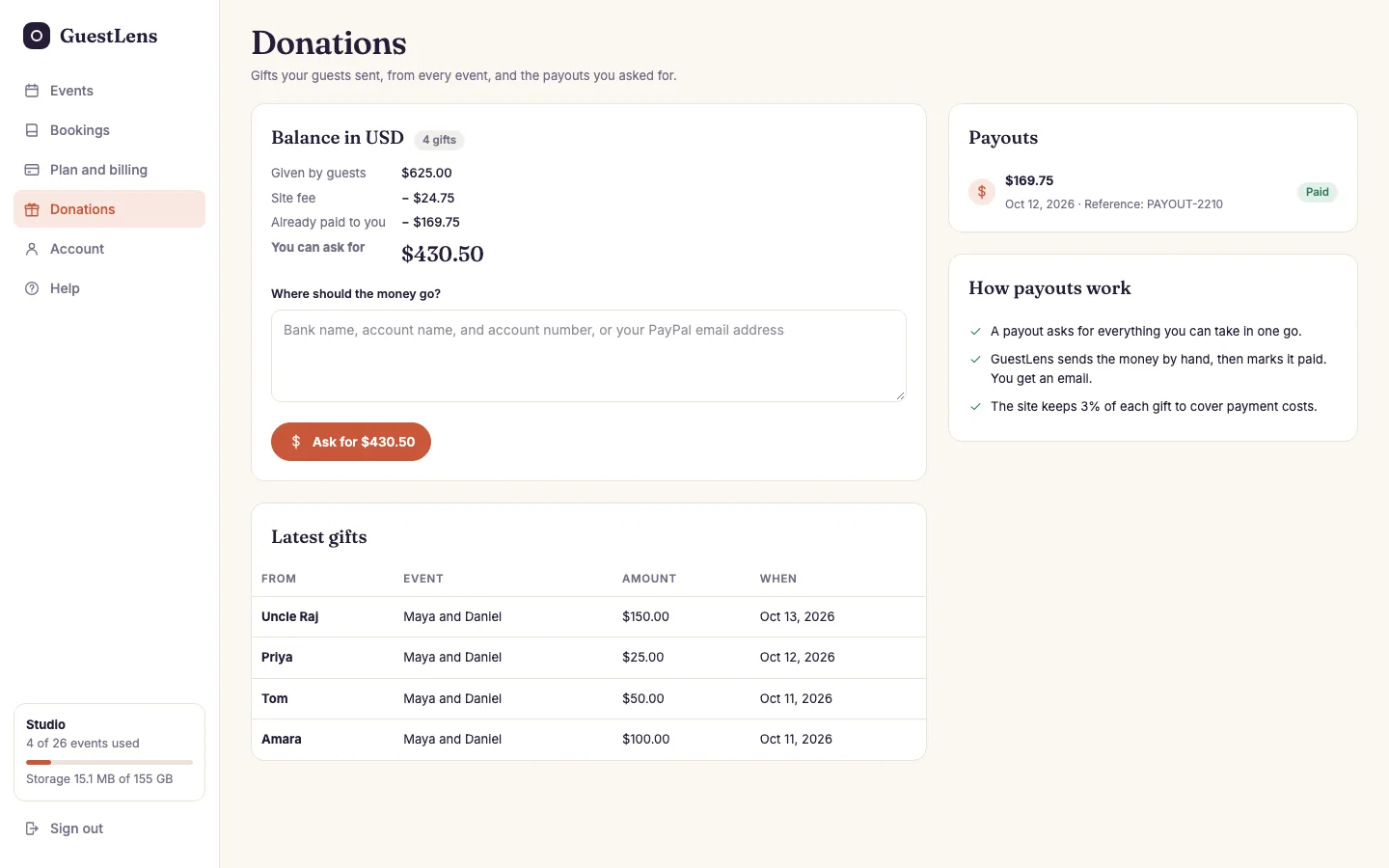
- The balance: what guests gave, your fee, what was paid already, and what the host can ask for now.
- Where the money should go, such as bank details or a PayPal address, and the button that asks for everything available.
- The latest gifts from every event.
- Payouts asked for, sent, or turned down.
You get an email when a host asks. When you mark the payout paid, or turn it down with a reason, the host gets an email too.