 GuestLens
For hosts
Event sponsors
A host can show the businesses that sponsor an event: a florist, a venue, a company paying for a party. Each sponsor has a name, an optional logo, a link, and a short message. New in version 2.0.
Sponsors are part of a plan. Leave them out of a cheap plan and include them in a bigger one, and that is how you sell sponsor slots. See Plans. An event can have up to six sponsors.
Since version 3.0 you can also add your own sponsors to many events at once. See Site sponsors.
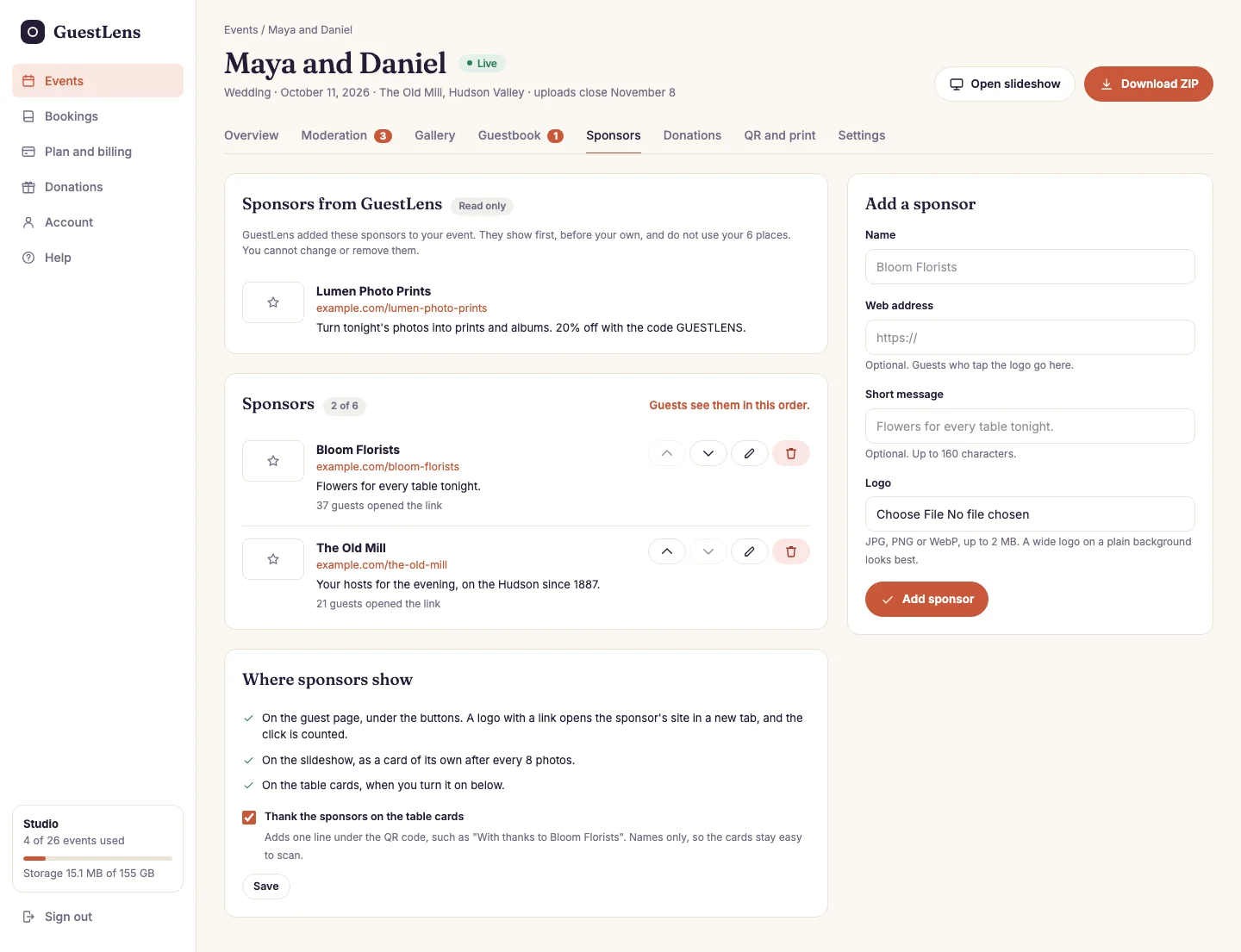
- Sponsors from the site: the site sponsors the super admin added. They show first, the host cannot change them, and they do not use the host's six places.
- The host's own sponsors, in the order guests see them, with how many guests opened each link.
- Move up, move down, edit, and remove.
- Where sponsors show, and the switch that puts them on the table cards.
- Add a sponsor: a name, a web address, a short message, and a logo.
Where sponsors show
- The guest page, under the buttons, with the words With thanks to. A logo with a link opens the sponsor's site in a new tab.
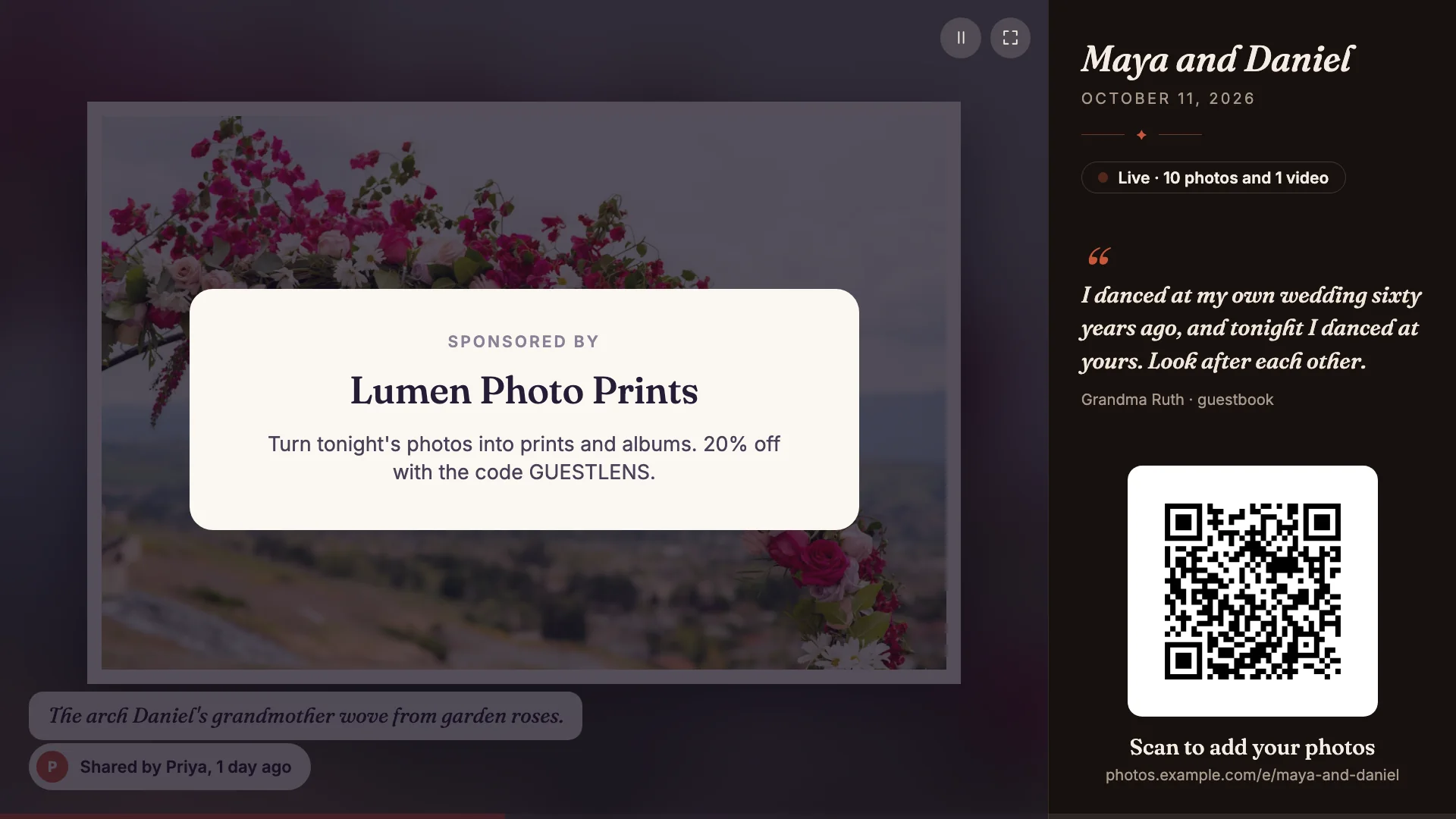
- The slideshow, as a card of its own after every 8 photos. The host does not have to do anything.
- The table cards, when the host turns it on: one line such as With thanks to Bloom Florists under the QR code. Only names are printed, so the code stays easy to scan.
Counting clicks
When a guest taps a sponsor, GuestLens counts it and then sends the guest on to the sponsor's site. One guest counts once an hour for each sponsor, so tapping five times does not inflate the number. Views are not counted, because that would mean a database write on every page view at a busy event.