 GuestLens
Run your site
Site sponsors
Site sponsors are your own sponsors, added once by you, the super admin, and shown on many events at the same time. New in version 3.0. Hosts still add their own sponsors to one event at a time. See Event sponsors.
Use site sponsors when you sell sponsorship across your whole platform: a print shop, a local venue, a florist who wants to be seen at every wedding you host.
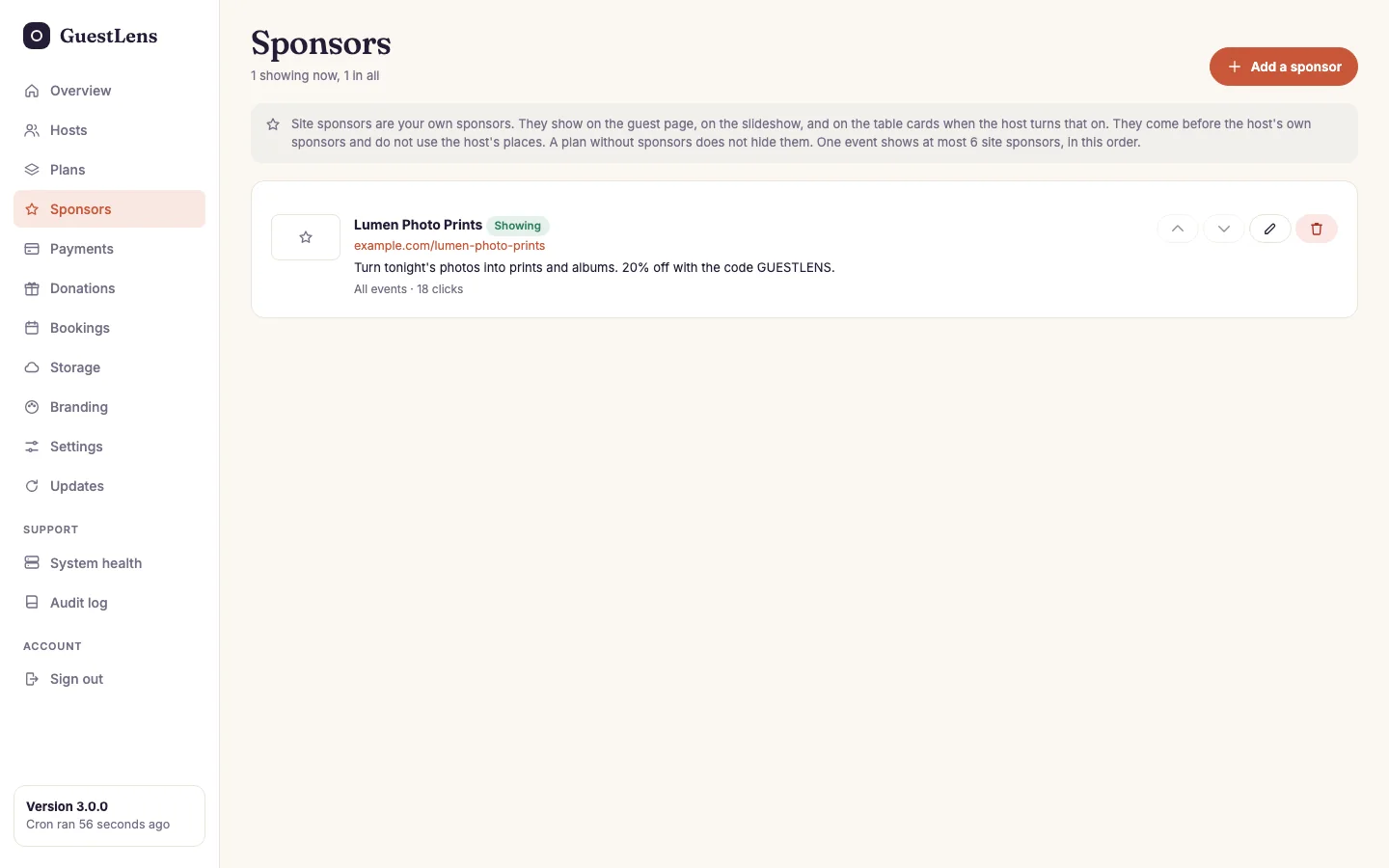
- Add a sponsor.
- A sponsor, with its state (Showing, Starts, Ended, or Off), where it shows, and how many times guests opened its link.
- Move up, move down, edit, and delete. Guests see site sponsors in this order.
Add a site sponsor
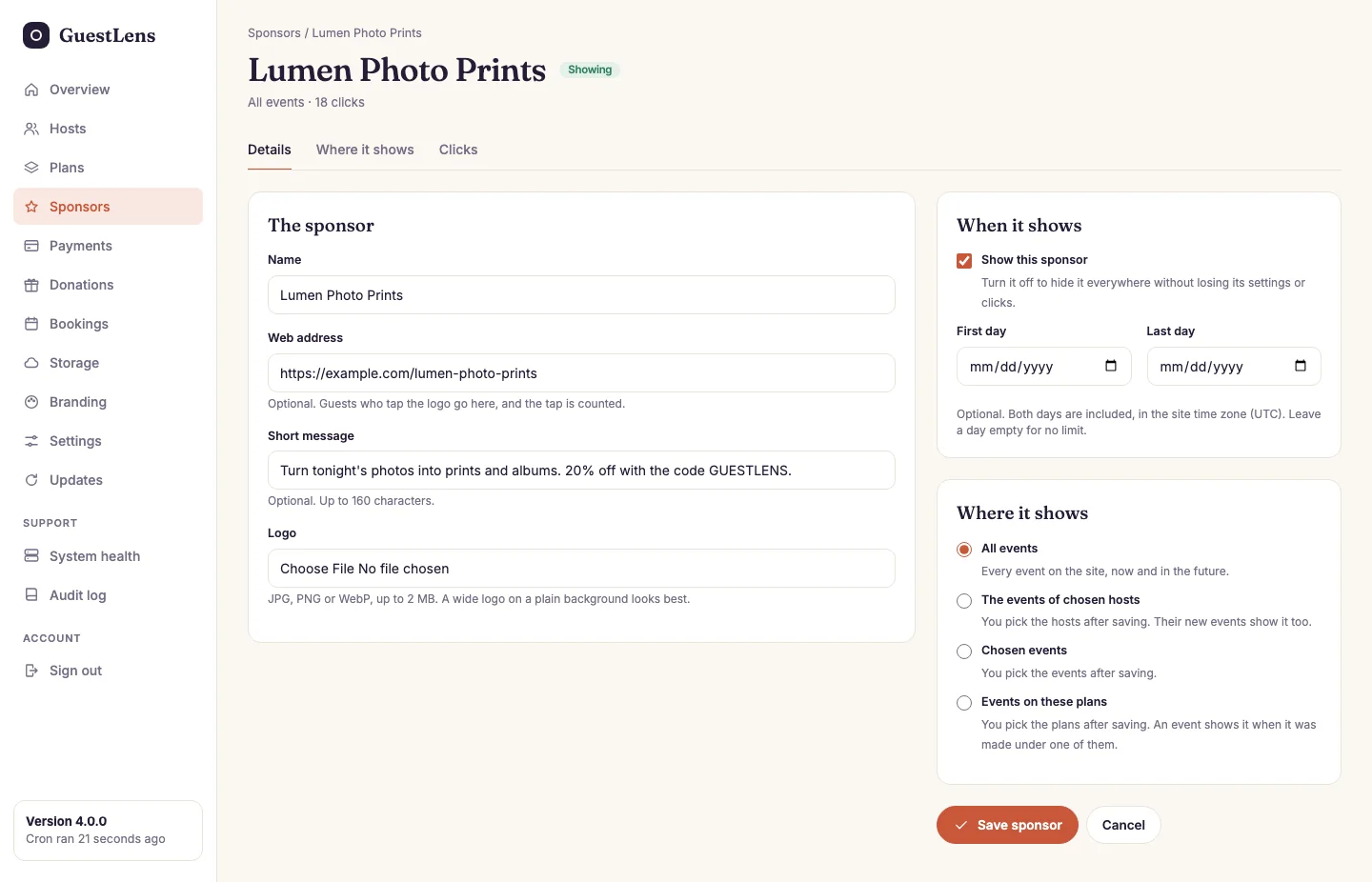
- Details, Where it shows, and Clicks: the three tabs of one sponsor.
- The sponsor: the same fields a host uses. A name, an optional web address, a message of up to 160 characters, and a logo (JPG, PNG, or WebP, up to 2 MB).
- Where it shows: all events, the events of the hosts you pick, the events you pick, or the events on the plans you pick.
- When it shows: an on or off switch, and an optional first and last day. Both days count, in your site's time zone. A paid slot ends by itself on its last day.
When you choose The events of chosen hosts or Chosen events, save first, then open the Where it shows tab. Search for hosts or events, tick the ones you want, and press the button under the list. The list works the same way with five hosts or five thousand. The events a chosen host makes later show the sponsor too.
When you choose Events on these plans (new in 4.0), save first, then tick the plans on the Where it shows tab and press Save plans. An event shows the sponsor when it was made under one of the ticked plans, for example every event on your Free plan. The plan that counts is the one the event was made under: a host who buys a bigger plan later does not change the events they already made. An event you made yourself with no plan behind it matches no plan. The sponsor list shows the plans by name, for example Plans: Free, Starter.
Where they show
- The same places as event sponsors: the guest page, the slideshow card after every 8 photos, and the names line on the table cards.
- Site sponsors come first, before the host's own sponsors.
- They do not use the host's six places. A host still has six of their own.
- A plan without sponsors does not hide them. They are your sponsors, not the host's.
- At most six site sponsors show on one event, in the order on this screen.
- The table cards follow the host's own switch, Thank the sponsors on the table cards. A card checks the sponsor against the event date, because cards are printed before the day.
The host sees your sponsors on their event's Sponsors tab, marked Read only. They cannot change or remove them. The tab appears even on a plan without sponsors, so the host can see what their guests see.
Clicks
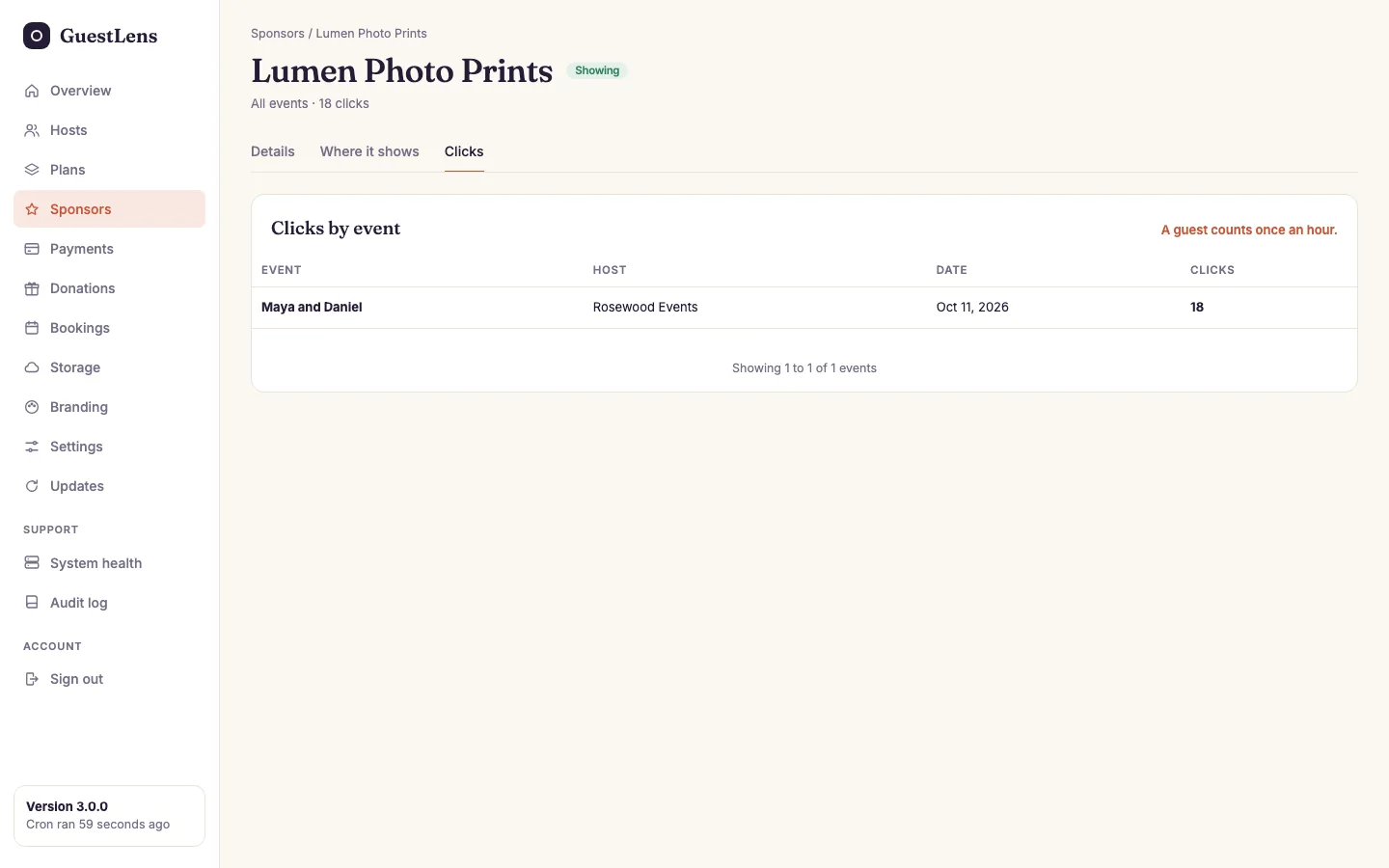
- Clicks by event: how many times guests opened the sponsor's link from each event.
A click is counted the same way as for event sponsors: once per guest per hour, on the way to the sponsor's site. Views are not counted. Clicks are never lost when an event or a host is deleted. They stay in the total, on a row of their own.