 GuestLens
Run your site
Plans
A plan is what you sell. A host pays once and gets a bundle: a number of events, with limits on each event. There are no subscriptions, no renewals, and no failed-payment emails to deal with. This is how event photo services are usually sold.
The plan list
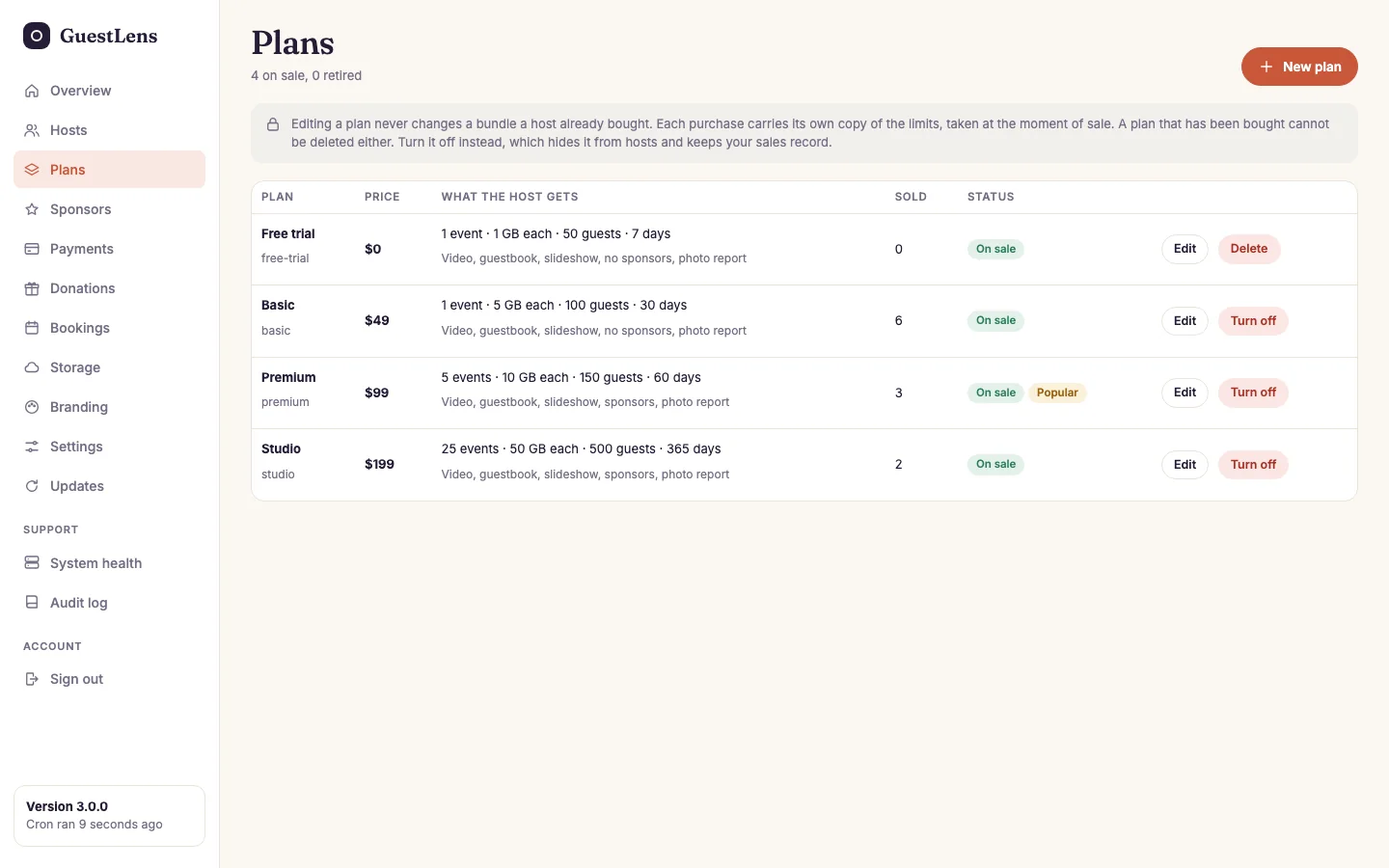
- The rule: editing a plan never changes what a host already bought. See below.
- Each plan with its price, what the host gets, how many were sold, and whether it is on sale. Edit opens it.
- New plan adds another one.
A new site starts with four plans: a Free trial (one event, 1 GB, 50 guests, 7 days) and three paid plans at $49, $99, and $199. Change any of them. The free trial lets a new host try everything before you set up a way to pay. Each host can take a free plan only once.
A plan that someone bought cannot be deleted, because their purchase points at it. Use Turn off instead. It disappears from the plan picker, and hosts who bought it keep what they paid for.
Edit a plan
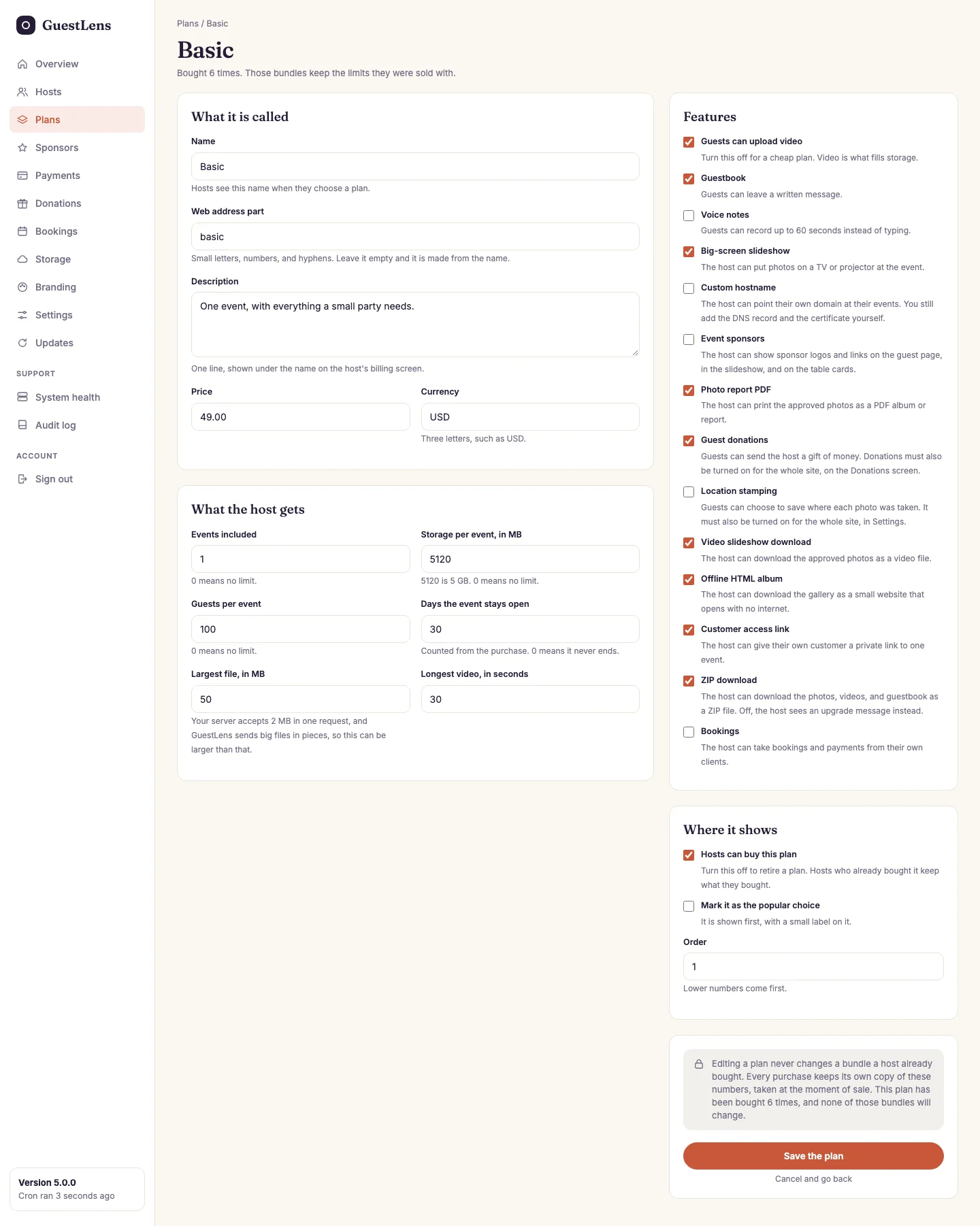
- What it is called: the name hosts see, the web address part, a one-line description, the price, and the currency.
- What the host gets: the limits. See the table below.
- Features: video, guestbook, voice notes, the slideshow, a custom hostname, the four from version 2.0 (event sponsors, the photo report PDF, guest donations, and location stamping), and the three from version 3.0 (the video slideshow download, the offline HTML album, and bookings), the one from version 4.0 (the customer access link), and the one from version 5.0 (the ZIP download). Leave some out of cheaper plans. A host on such a plan cannot turn them on.
- Where it shows: whether hosts can buy it, whether it is marked as the popular choice (shown first, with a label), and its place in the list.
- Save the plan.
What each limit means
| Limit | Means |
|---|---|
| Events included | How many events this purchase lets the host create. 0 means no limit: the host's screens then say "No limit" (behind the scenes the purchase holds 9999 events). |
| Storage per event | The total size of all files in one event, in MB. 5120 is 5 GB. 0 means no limit. |
| Guests per event | How many separate phones can upload to one event. 0 means no limit. |
| Days the event stays open | How long each event takes uploads, counted from the event date (or from the day it was created, if it has no date). The host can close it earlier, never later. The purchase itself runs out after this many days too: after that, the host cannot start a new event with it. 0 means it never ends. |
| Largest file | The largest single file a guest can send, in MB. It can be bigger than your server's own upload limit. |
| Longest video | In seconds. Checked in the browser and again on your server. |
Where the limits come from
Four places limit what a guest can upload, and the smallest always wins: the plan the host bought, the event's own settings, your site-wide limits under Settings, and what your server can store.