 GuestLens
Run your site
Guest donations and payouts
Guests can send the host a gift of money. The money is paid into your Stripe or PayPal account, you keep an optional fee, and you pay the rest to the host when they ask. Nothing moves on its own: you send each payout yourself and then mark it paid. New in version 2.0.
Turn donations on
- Set up Stripe, PayPal, or both on the Payments screen. Guests cannot pay by bank transfer, because they have no account to upload a receipt from.
- Open Donations in the admin sidebar, tick Guests can send gifts, and save.
- Make sure the plans you want include Guest donations. See Plans.
- A host then turns gifts on for each event. See Gifts from guests.
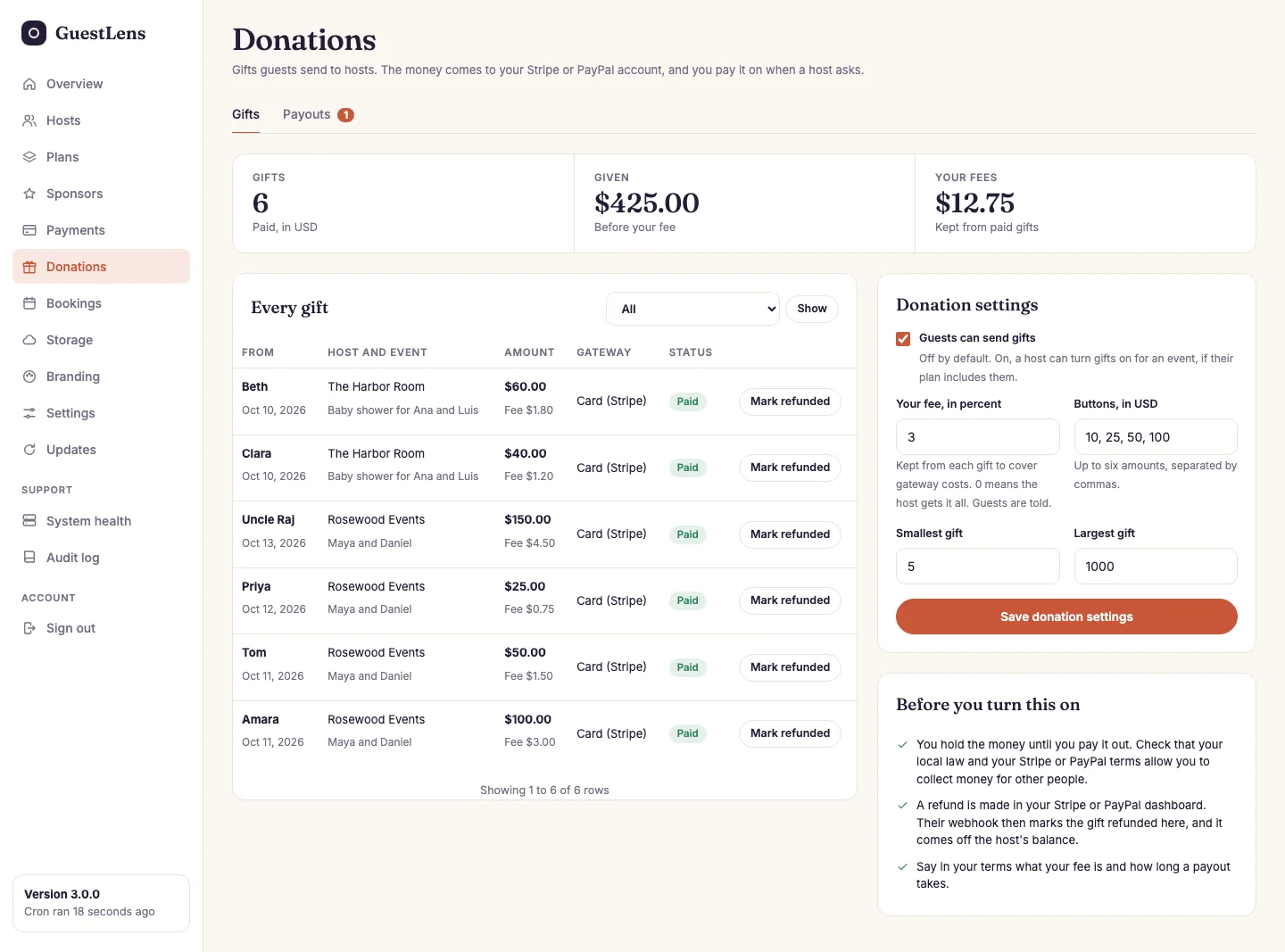
- Gifts and Payouts. The number shows payouts waiting for you.
- The totals in your site's currency: gifts, what guests gave, and your fees.
- Every gift, with the host and event it was for, and its status.
- Donation settings: the switch, your fee in percent, the amount buttons guests see, and the smallest and largest gift.
- Before you turn this on: the short version of the warning above.
Pay a host
When a host asks for a payout, you get an email, and the request waits on the Payouts tab.
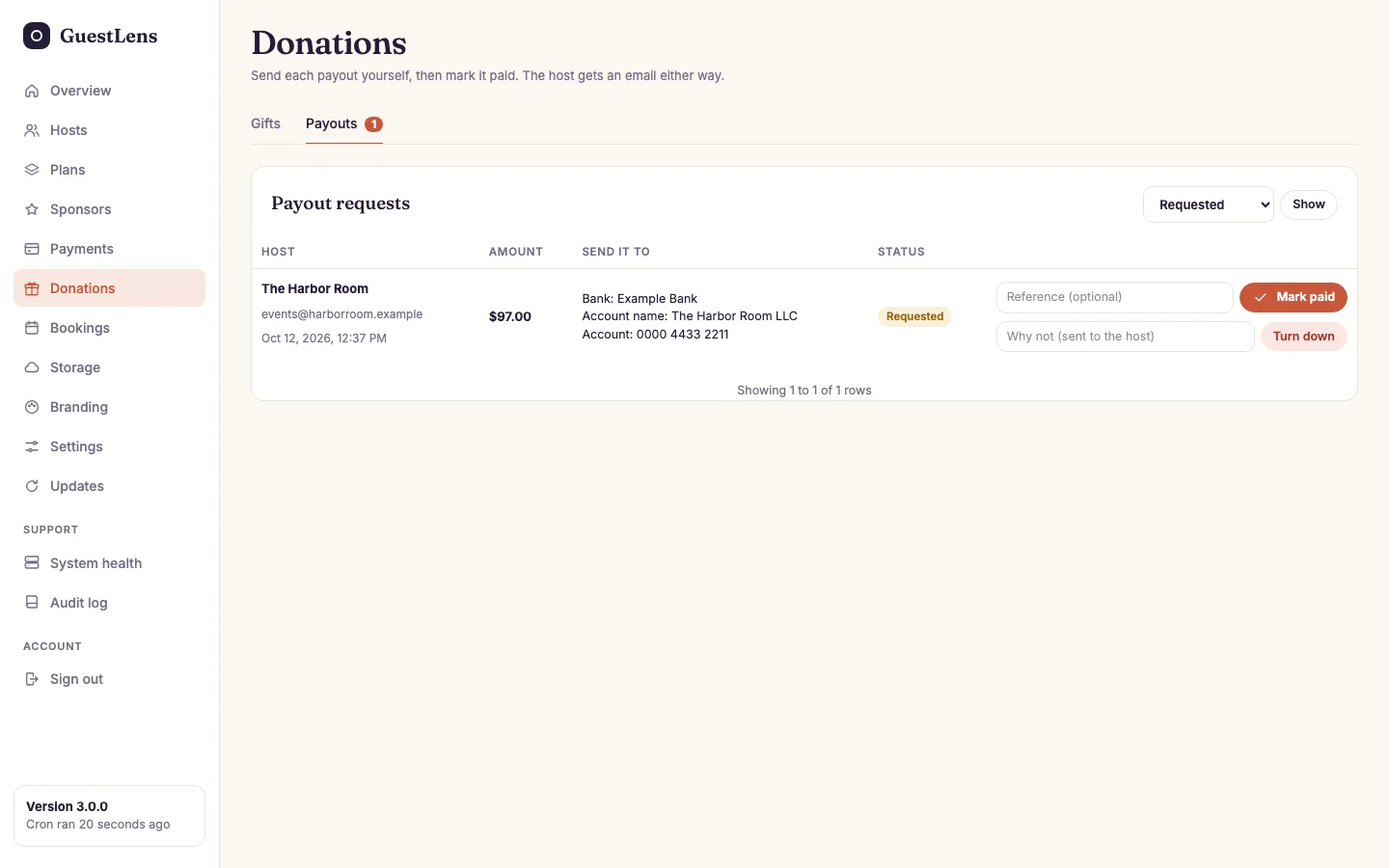
- Where to send it, as the host typed it.
- Mark paid, after you sent the money, with your transfer reference if you like.
- Turn down, with a reason. The amount goes back into the host's balance, and they can ask again.
A payout always asks for everything the host has available, so two requests can never take the same money twice.
Refunds
Refund a gift in your Stripe or PayPal dashboard. The webhook then marks it refunded here, and it comes off the host's balance. A partial refund takes only the refunded part off, and the gift stays paid. If the webhook is not set up, press Mark refunded on the gift yourself. If the gift was already paid out, the host's balance goes below zero, and their next gifts cover it first.
Gifts use the same webhooks as plan purchases, and the same safety net: every ten minutes the cron job asks Stripe and PayPal about any gift still waiting. See Payments.
On a demo site
With demo mode on, the gift page opens without a gateway, and pressing pay shows a note that no money changes hands.