 GuestLens
For hosts
Offline album
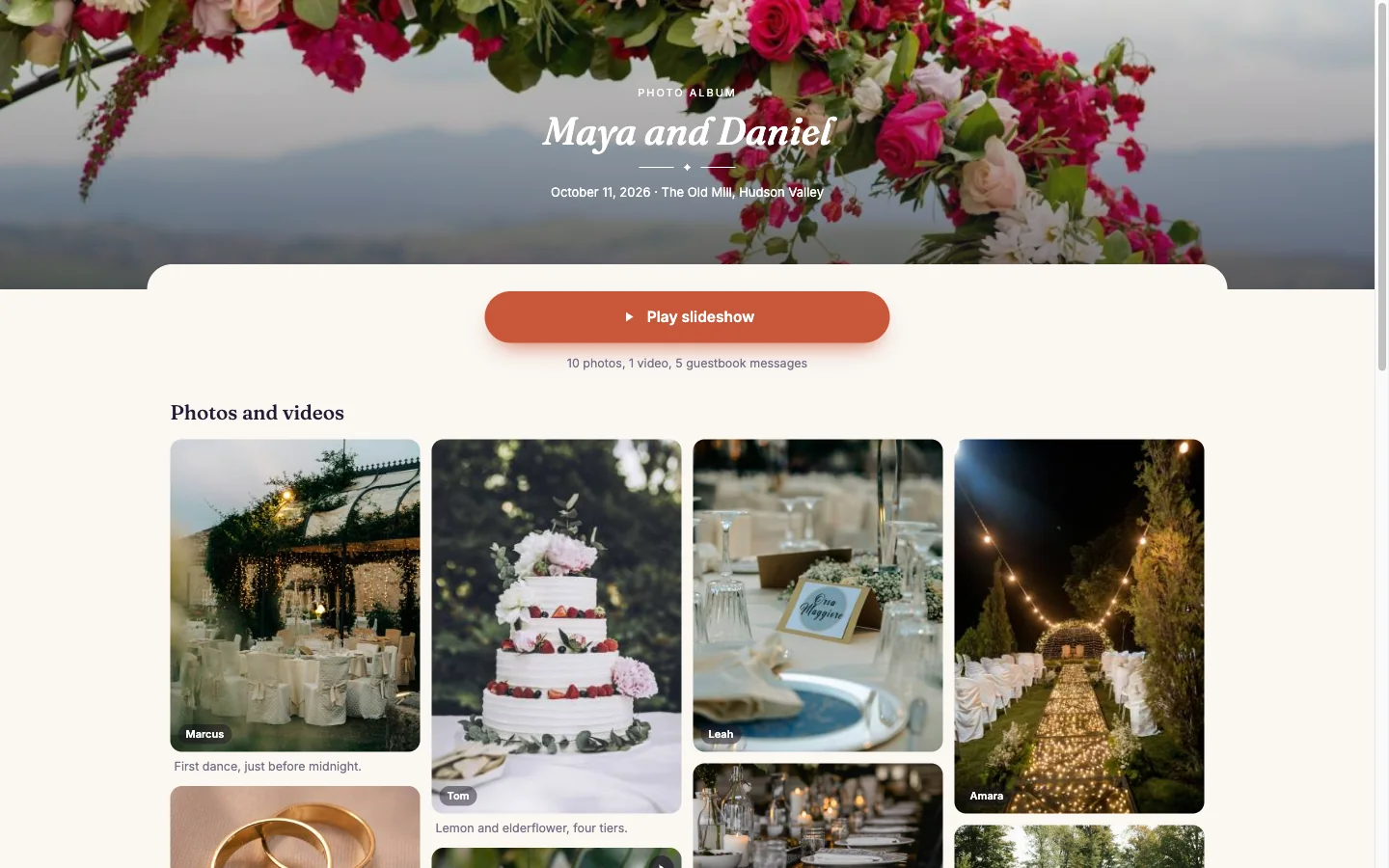
The offline album is one HTML file with the approved photos and the guestbook inside it. New in version 3.0. It opens in any browser, on a phone or a computer, with no internet. The host keeps it, copies it to a USB stick, or sends it on.
What is in it
- A grid of the approved photos, in gallery order, with the guest's name and the caption. Captions follow the event's own caption setting.
- A full screen view, with swipe on a phone and the arrow keys on a computer.
- A Play slideshow button, five seconds a photo.
- The guestbook: the approved messages, and a play button for each approved voice note.
- Videos show their first frame and the words "This video is in the ZIP download", because videos are too big for one file.
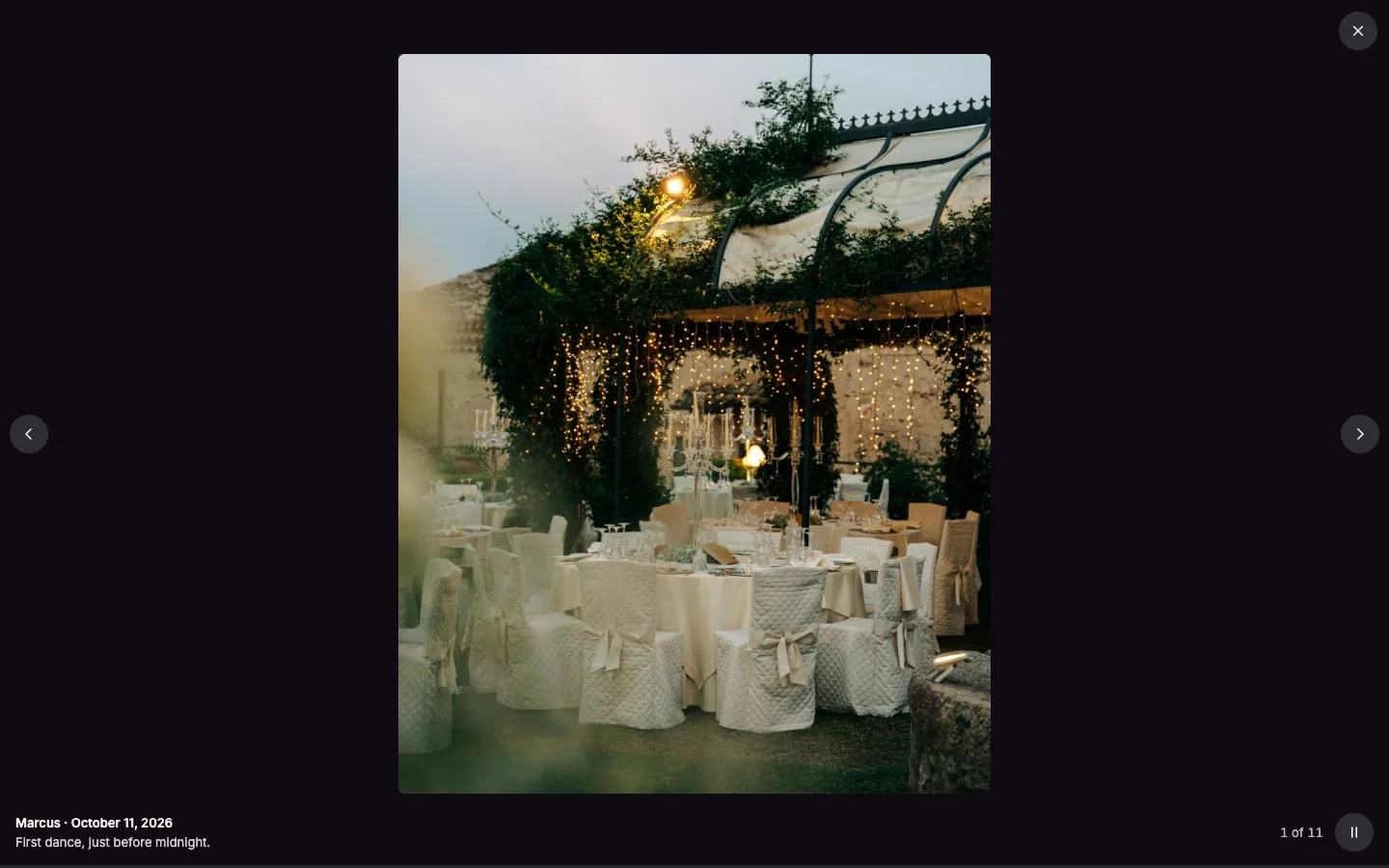
Only approved content goes in. Where photos were taken is never in it.
Make the album
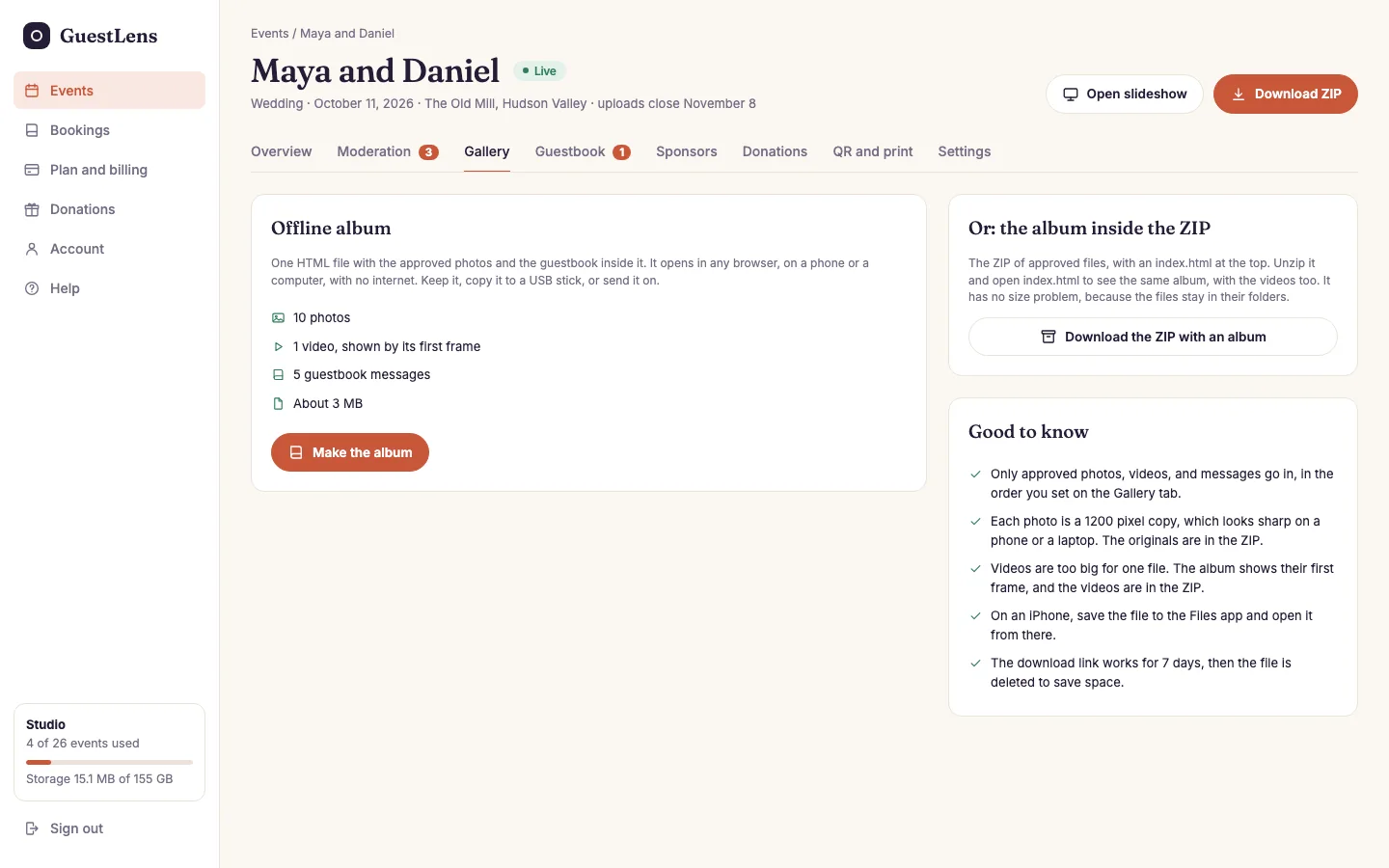
- Offline album: how many photos, videos, and messages go in, and about how big the file will be. Press Make the album.
- Or: the album inside the ZIP. See below.
- Good to know, in five lines.
The album is made in the background, like a large ZIP. The page shows the progress, and the host gets an email with a download link when it is done. The link works for 7 days. Making a new album replaces the old one. It needs the cron job.
Each photo goes in as a 1200 pixel copy, so the file stays small enough for a phone: 50 photos make a file of about 10 MB, and 300 photos about 80 MB. The page warns when an album will be very big.
The album inside the ZIP
On the ZIP download screen, tick Add an index.html album.
The ZIP then has an index.html at the top that shows the same album from the ZIP's own
folders. It includes the videos, and it has no size limit. Unzip the file, then open
index.html.
For you, the super admin
The plan switch is Offline HTML album, on by default. It turns off both the album and the ZIP option. See Plans.