 GuestLens
For hosts
Video slideshow download
Make an MP4 video of the approved photos, to play on a TV or share on social media. New in version 3.0. Open an event's Gallery tab and press Make a video.
Your browser makes the video, on your own computer or phone. The server only sends the photos and the voice notes. Nothing is stored on the server, and the server needs no extra software. The file downloads when it is done.
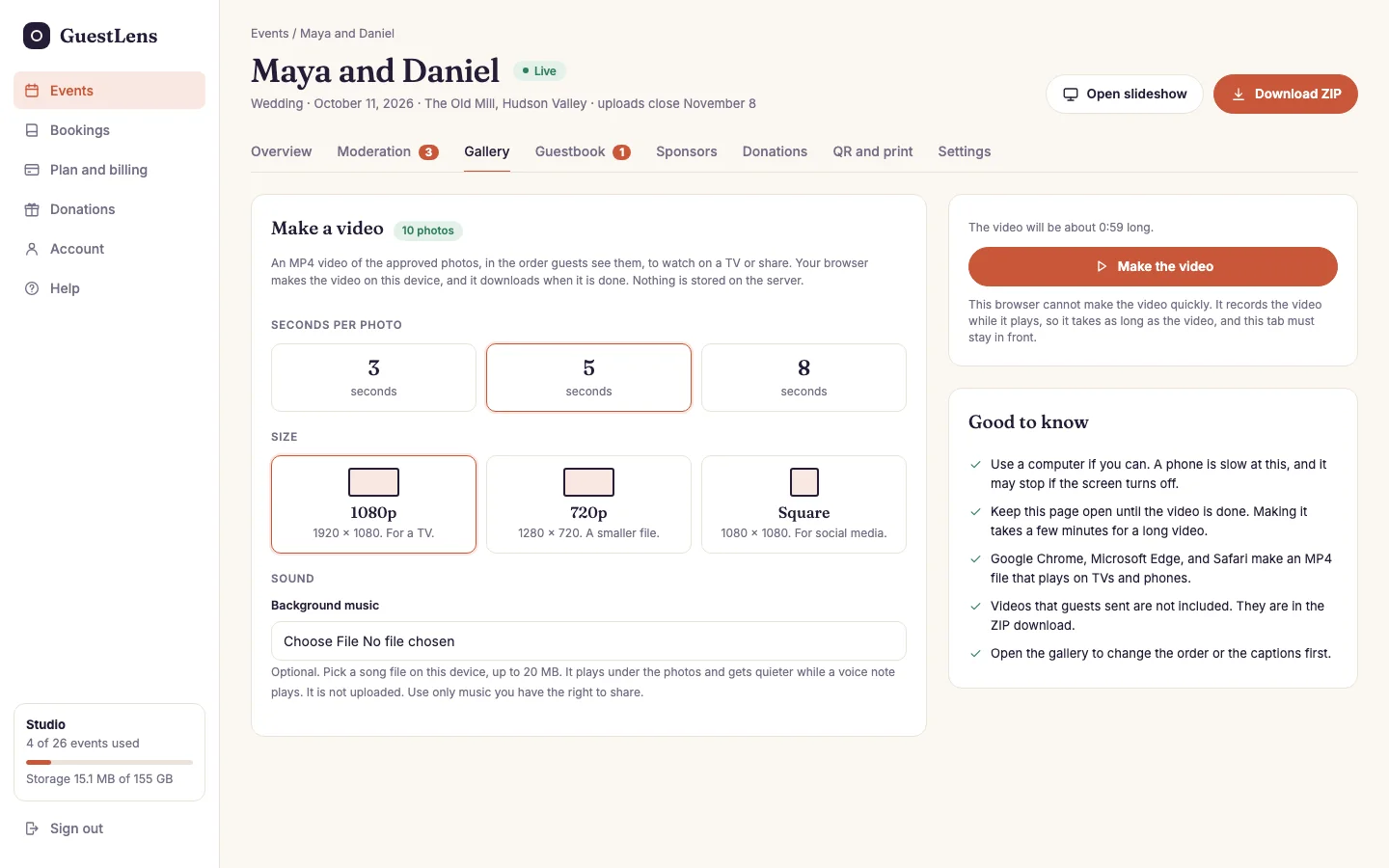
- The choices: seconds per photo (3, 5, or 8), the size (1080p for a TV, 720p for a smaller file, or square for social media), the voice notes, and background music.
- Make the video, with how long it will be, and which kind of file this browser makes.
- Good to know, in five lines.
What the video shows
- A title card with the event name and date, then every approved photo in gallery order, then a thank-you card.
- Each photo looks like the slideshow: on a blurred copy of itself, in a white frame, with who shared it and, when the event shows captions, the caption. A short fade joins the photos.
- Each approved voice note gets a card with the guest's name, and plays over it.
- Background music is a song file you pick from your own device, up to 20 MB. It is never uploaded. It gets quieter while a voice note plays. GuestLens ships no music, so use only music you have the right to share.
- Videos that guests sent are not in it. They are in the ZIP download.
One video holds up to 300 photos, about 25 minutes at 5 seconds a photo. A bigger gallery is made in parts, and the page lets you pick the part.
Which browser to use
| Browser | What you get |
|---|---|
| Google Chrome or Microsoft Edge, on a computer | An MP4 that plays on TVs and phones. Fast. You choose where to save it first, and it is written to disk as it is made. |
| Safari | An MP4. It is built in memory, so a long 1080p video needs a computer. |
| Firefox | An MP4 with a sound format some TVs cannot play. Use Chrome or Edge for a TV. |
| Older browsers | The page records the video while it plays, so it takes as long as the video. Some give a WebM file. The page says which file you will get before you start. |
Use a computer if you can. A phone is slow at this, and it may stop when the screen turns off. Keep the page open until the video is done. The page keeps the screen awake while it works.
As an example, a 20 photo video at 720p took about 16 seconds in Chrome on a laptop and was about 10 MB. A full part of 300 photos at 1080p took under 5 minutes and was about 250 MB.
For you, the super admin
- The plan switch is Video slideshow download, on by default. See Plans.
- It needs no cron job, no ffmpeg, and no storage.
- It works with S3 storage with no extra setup: photos are sent through your site, so you do not have to change your bucket's settings.